5.1 What your connection reveals

The short version
- Understand the exposure before you pick a tool. Otherwise a VPN or new browser may just move the problem.
- HTTPS hides what you read, not where you go. Content is well protected; metadata much less so.
- Your provider sees which services you connect to, when and how much, and in the UK some of that can be kept for up to twelve months.
- Turn on encrypted DNS. It is one of the highest-value, lowest-effort steps you can take.
The question before the tools
People often grab a privacy tool (a VPN, a different browser, an encrypted app) before they know what their connection actually exposes. That is the wrong way round.
Without knowing what is visible, to whom and for how long, you cannot tell whether a tool fixes a real problem or just moves it elsewhere. That is why this page sits before the discussion of VPNs in 5.2: the value of a VPN, encrypted DNS or anything else only makes sense once you understand the exposure it addresses.
The aim is to describe, not alarm. None of this implies someone is watching you personally. Most of it is just how networks work: to deliver data to the right place, the network has to know where that place is.
So the privacy question is not whether this information exists (it must) but who keeps it, for how long, and what could later be done with it. That framing, from the threat-modelling approach in Chapter 1, turns technical facts into useful decisions.
What your internet provider can see
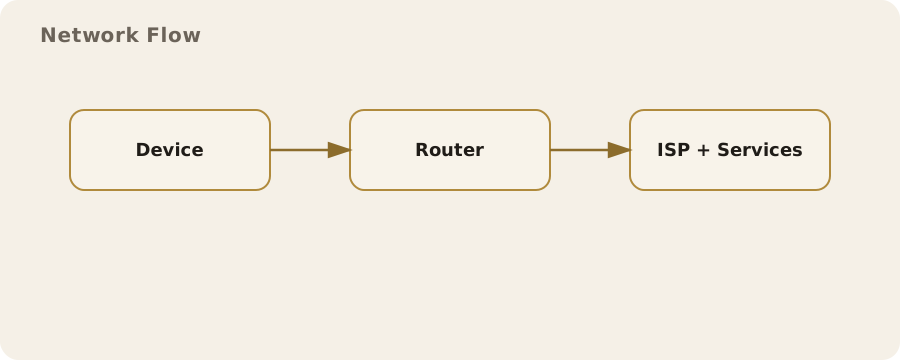
Your internet service provider (the broadband company at home, or the mobile network on your phone) is in a uniquely revealing position: every connection you make passes through it.
Even when it cannot read your traffic, it can at minimum see:
- which servers you connect to;
- when, and how often;
- how much data you exchange with each.
Because modern websites are encrypted, it usually cannot see the specific pages you read or what you type. But it can very often see that you connected to a particular service, and the timing alone can be revealing.
This is the content versus metadata split that runs through this whole guide:
- Content of an encrypted page: hidden.
- The fact that you connected to a particular bank, health service, dating site or political organisation: frequently not hidden.
A provider that sees you connect to a gambling-support service every evening, or a domestic-abuse charity at 2am, knows something genuinely sensitive without reading a single word. The shape of your connections (discussed at length in the chapter introduction) is itself information.
IP addresses and what they give away
Every device on the internet is reachable through an IP address, the numerical label that lets data find its way to you and back. When you visit a website, it sees an IP address linked to your connection and uses it to send the page back.
So the same address is both essential for the internet to work and a handle for locating and recognising you. From it, a website or observer can usually infer your rough area and your provider. With legal process, your provider can link the address to the account-holder it was assigned to at a given time.
Two practical points:
- An IP address is not a name, but it is a strong pointer towards one. That is why it features so heavily in advertising and investigation.
- Addresses are often shared and reassigned. Many homes sit behind one address and mobile networks rotate them, so an address identifies a connection rather than a person with perfect precision.
This is exactly the exposure a VPN changes, by swapping the VPN server's address for yours, with the trade-offs in 5.2. It is also why a website seeing a UK address triggers UK-specific behaviour such as the age checks in 17.2.
DNS: the address book that leaks
Before your device can reach a website, it has to turn the human-readable name (a shop's web address, say) into the numerical IP address the network uses. The Domain Name System, or DNS, does that: it is the internet's address book.
The catch: historically, these look-ups were sent in the clear. Even when the page you load is fully encrypted, the question ("what is the address for this site?") could be seen by your provider and anyone else on the path. DNS has long been one of the quietest but most complete records of where a person goes online.
By default, your look-ups usually go to your provider's servers, handing it a tidy list of the domains you visit without it inspecting your traffic at all.
Encrypted DNS (sold under names such as DNS over HTTPS or DNS over TLS) closes much of this gap by encrypting the look-up itself, so the question is no longer visible in transit. Caveats:
- it does not make you anonymous;
- it shifts trust to whoever runs the DNS service you choose.
But it removes one of the easiest and most overlooked leaks. Most current browsers and operating systems can turn it on in settings, and it is one of the higher-value, lower-effort steps available.
What HTTPS fixed, and what it did not
Credit where due: the near-universal adoption of HTTPS over the past decade was an enormous privacy win. It encrypts the contents of the pages you load, so your provider, a Wi-Fi operator or anyone else on the path can no longer read the articles you view, the messages you submit or the passwords you enter.
The padlock in the address bar is a genuine protection. The days when anyone on a café network could read your browsing in full are largely behind us.
What HTTPS does not do is hide the destination. Encrypting a conversation does not conceal who you are talking to. Several things can still reveal where you are going, even over HTTPS:
- the IP address you connect to;
- the DNS look-up, if it is not itself encrypted;
- a field in the connection setup that has historically named the site you are reaching.
So: content is well protected, metadata much less so. That split is the most useful thing to take from this page, because nearly every network privacy tool is really a tool for protecting the metadata HTTPS leaves exposed.
Retention and the UK picture
All this would matter less if the records vanished quickly. In the UK, they do not always.
Under the Investigatory Powers Act 2016, communications providers can be required to retain certain data about customers' use of services for up to twelve months, and to make it available to authorised public bodies under defined processes.
The detail is technical and the categories are debated. The practical reality: the metadata your connection generates is not necessarily discarded once it has done its job. Some of it can be kept and retrieved long after you have forgotten the activity.
This is where network privacy connects to the wider direction described in Chapter 17. Retained connection records, the pressure on encryption in 17.5, and the growth of identity-linked online activity all rest on the same fact: ordinary internet use generates a durable trail.
That does not mean you are being watched, and it is not a reason for alarm. It is a reason to choose deliberately which trails you generate and where, rather than leaving them all to default settings designed for someone else's convenience.
A sensible baseline
Good news: a handful of modest, lawful steps covers most of this exposure, and none needs expertise.
- Enable encrypted DNS in your browser or operating system, so your look-ups stop being an open record of where you go.
- Keep HTTPS as your default, and treat the rare unencrypted site as the exception it now is.
- Read 5.2 before deciding on a VPN, so you know what it does and does not change, rather than installing one on reflex.
- Remember content versus metadata. "The page is encrypted" is not the same as "no one can tell what I am doing".
Above all, match your effort to your actual situation. For most people, most days, the baseline above is proportionate and sufficient, and the heavier tools later in this chapter are unnecessary.
With a sharper threat model (journalists, activists, people at risk from someone with access to their network), the same understanding points to stronger measures such as Tor, covered in 6.2, and the habits in 5.3.
Either way, the sequence is the same: understand what is revealed first, then choose the tools that address it.
Do this now
- Open your browser's settings, search for "DNS" and switch on secure or encrypted DNS.
- Turn on your browser's HTTPS-only mode if it has one.
- Jot down one sensitive service you use and ask: who can see that I connect to it?