5. Network privacy and traffic control
The short version
- Encryption hides content, not shape. Who you contacted, when, for how long and how much data moved is still visible.
- Every privacy tool moves trust rather than removing it. Encrypted DNS, VPNs and Tor each hand visibility to someone else.
- A VPN protects the path, not your identity. Log in, and the site knows who you are.
- The network owner sets the rules. On a work or school network (or a work device), your options shrink.
- Match the tool to the situation. HTTPS and sensible browser settings at home; extra layers only where the risk justifies the cost.
What your connections reveal
The shape of a connection
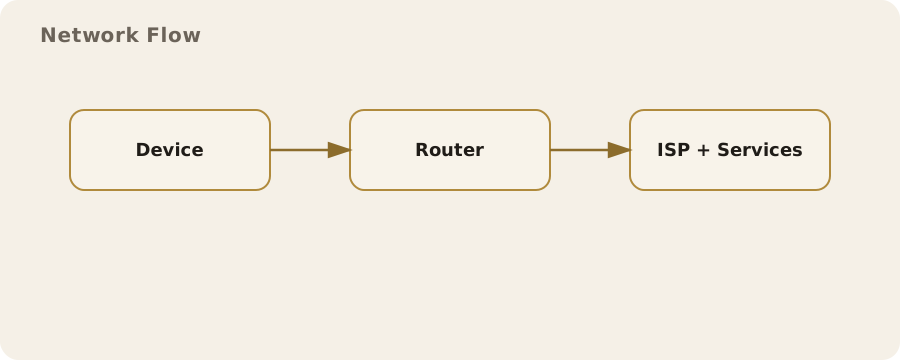
Every time your phone or computer goes online, it leaves a trail. Even when the content is encrypted, the connection itself has a shape:
- which service was contacted;
- when;
- for how long;
- how much data moved.
That surrounding information is called metadata. It is not a magic mirror of your inner life, but it is specific enough to expose habits and routines when patterns repeat.
Picture a commuter checking the same news site at 07:30 every morning from one part of Leeds. The network operator sees the timing and the destination, even over HTTPS, and can infer a routine without reading a word.
No conspiracy here. Networks route traffic by knowing where it should go; this is just how they work.
IP addresses, location, and identification
Every outbound connection needs an IP address. Most UK home broadband and mobile networks hand them out dynamically, so yours can change. The provider still keeps internal records linking each address to your account, for billing and operational reasons.
From the outside, an IP address usually reveals:
- your internet provider;
- a rough area, often a city or part of a city (rarely a precise street address);
- over time, a household network, if the address stays stable.
Myth: a changing IP makes you anonymous. Reality: it helps a little. Services also use device identifiers, login details and behavioural fingerprints, and the network logs which account had which address.
Myth: your devices' home addresses are visible everywhere. Reality: inside the home, devices use private addresses the wider internet cannot see. Your router performs network address translation (NAT), so the outside world sees only one public address. That simplifies security, but it does not make the household invisible.
DNS as the internet's address book
Before connecting to a website, your device usually asks a Domain Name System (DNS) server to turn a name into an IP address. That lookup is often a clear signal of intent. Look up a health clinic, and you have revealed interest before a single page loads.
Many UK networks run their own DNS servers and log these requests for performance, security and regulatory compliance.
Traditional DNS is not encrypted, so the network can watch it. DNS over HTTPS (DoH) and DNS over TLS (DoT) encrypt the lookup, which makes casual snooping harder. But:
- they do not hide the destination once the connection is made;
- they shift trust to whichever DNS provider you choose, which can still see every domain you request.
The difference is who gets the visibility, not whether anyone does.
Traffic control in everyday networks
Operators manage traffic to keep services stable. A busy mobile mast may prioritise calls and video meetings; a home broadband provider may throttle specific protocols at peak times. This is usually called traffic management rather than censorship, and in the UK it is governed by regulator guidance and consumer protection rules.
The same tools serve other purposes:
- workplaces blocking streaming sites to save bandwidth;
- schools filtering content to meet safeguarding requirements.
These controls sit at the network level, so they affect everyone on the connection, whatever their devices can do. They are not always precise either: automated filters in particular can block perfectly legitimate content.
Encryption: what it protects and what it does not
Most web traffic now uses HTTPS, which encrypts content between your device and the service. It protects:
- the text of your messages and the details of transactions, from anyone watching the network;
- against some tampering, such as a third party injecting adverts or altering downloads in transit.
What HTTPS does not hide:
- the destination domain, often visible via the Server Name Indication (SNI) in the TLS handshake;
- the IP address, which is always visible because traffic has to be routed.
Encrypted ClientHello (ECH) aims to hide SNI, but support is not yet universal. Even with ECH, timing and volume patterns remain, and observers can still draw inferences from them.
Virtual private networks in practice
A virtual private network (VPN) builds an encrypted tunnel from your device to a VPN server. To the local network, everything looks like it is going to that one server. That means:
- less visibility for Wi-Fi providers, ISPs and anyone watching the local connection;
- a different apparent source for your traffic, which is why people use VPNs for region-restricted streaming and for public Wi-Fi in cafés and on trains.
The trade-off: the VPN provider becomes the point of visibility. You are moving trust, not eliminating it. A reputable provider reduces the risk with minimal logging, transparent ownership and independent audits.
There is a performance cost too. Routing through a distant server adds latency, which you will notice on video calls and online games.
Myth: a VPN makes you anonymous. Reality: log into an account, or visit a site using cookies and browser fingerprinting, and you can still be recognised. A VPN protects the path, not the identity you give away.
Proxies, Tor, and layered routing
A proxy forwards traffic on your behalf, but it does not necessarily encrypt it. Corporate networks often use proxies to scan for malware or enforce policy. Proxies and VPNs are easy to confuse, but they work at different layers and give different guarantees; depending on configuration, a proxy may still expose traffic to the local network.
Tor routes traffic through several volunteer-run relays, each knowing only the previous and next hop. That makes it hard for any single observer to link you to a destination. The limits are real, though:
- it can be slow;
- some services block Tor exit nodes;
- it does not hide what you do inside a service once you log in;
- where Tor use is unusual, using it may draw attention (a practical risk rather than a technical one).
Mobile networks and always-on signalling
Your phone keeps a constant conversation going with the network so calls and messages can reach you, even when no data is in use. The network tracks which cell you are connected to, and that approximates your location. It is how the system works, and it underpins location-based services and lawful access under UK frameworks.
Take a delivery driver using a route-planning app. Two parties see movement:
- the app provider, which receives location data from the device;
- the mobile network, which records which masts the phone uses.
Different holders, different rules. And note: turning off mobile data does not stop signalling. Only powering off or aeroplane mode does.
Wi‑Fi realities: hotspots and shared networks
Public Wi-Fi is convenient, and shared. A café or hotel can see connected devices and, depending on its kit, may log which websites you visit. Web encryption limits what it can read, but basic metadata remains.
Ever had a video play fine at home but buffer on the train? The train's Wi-Fi provider may be traffic shaping to stop streaming from swamping the connection.
Managing the risk is about context:
- Routine browsing: a public network is usually fine if the sites are encrypted.
- Sensitive work or account management: use a VPN, or wait until you are on a trusted network.
- Always: turn off automatic Wi-Fi joining so your device does not hop onto a similarly named hotspot by mistake.
Device and browser fingerprints
Hide the network identifiers and websites can still recognise your device by its configuration: installed fonts, screen size, supported features, time zone. Combined, these form a fingerprint that is often stable enough to track repeat visits. It is used for advertising, and also for fraud prevention and account security.
The fixes are imperfect:
- privacy-focused browsers limit or standardise the details they expose;
- blocking third-party scripts helps, but some services need those scripts to work.
The price is occasional breakage: payment pages that will not load, security checks that take longer.
Traffic analysis and inference
Traffic analysis learns from patterns, not content. A big upload at 18:00 every weekday suggests a backup routine; a spike to a video conferencing service suggests a meeting, even though the call is encrypted. These are inferences, not certainties, but they are still useful to advertisers, employers and investigators.
You cannot eliminate this risk, only manage it. Things that blur the patterns:
- spreading activity across time;
- avoiding unnecessary background uploads;
- tools that batch or compress data.
Each usually costs convenience. Automatic photo backups are useful precisely because they are automatic; switch them off for privacy and you accept manual effort plus the risk of losing data.
Monitoring in workplaces and schools
Many UK workplaces monitor their networks for security, compliance and productivity. Schools and universities often filter content to meet safeguarding obligations. How much gets monitored varies widely: some organisations log only aggregate traffic volume, others inspect connections closely, sometimes with deep packet inspection on unencrypted traffic.
The practical point: the network owner sets the rules.
- A personal VPN on a corporate network may breach policy, and may simply be blocked.
- An employer-managed device may run endpoint monitoring that sees your activity whatever network you are on. That is a different layer of control, and it limits what network privacy measures can achieve.
Balancing privacy, functionality, and trust
Network privacy is not a single switch. It is a set of choices about whom you trust and which trade-offs you accept:
- Encrypted DNS shifts visibility from the local network to a DNS provider.
- A VPN hides traffic from your ISP but exposes it to the VPN operator.
- Tor makes it harder to link you to a destination, but browsing is slower and some services are off limits.
So match the tool to the situation:
- Everyday browsing at home: HTTPS and sensible browser settings may be enough.
- Public Wi-Fi: a VPN can be a sensible extra layer.
- High-sensitivity research or whistleblowing: layered tools and a careful operational plan may be appropriate, but they demand discipline and an understanding of their limits.
No choice is cost-free. Accepting those costs knowingly is part of making informed decisions.
Do this now
- Turn off automatic Wi-Fi joining on your phone and laptop.
- Switch on encrypted DNS (DoH or DoT) in your browser or device settings, and choose a provider you are happy to trust.
- If you use a work device, assume it is monitored whatever network it is on, and keep personal browsing off it.