Every screen of the web interface, what it shows and what an operator does there.
The web interface is server-rendered HTML with a small amount of dependency-free JavaScript for live updates, theme, and the graph canvas. It enforces a strict content security policy with no inline scripts, escapes everything it renders, and requires a CSRF token on every form. This page walks each screen. Screenshots are from a running instance with the sample mind Dani.
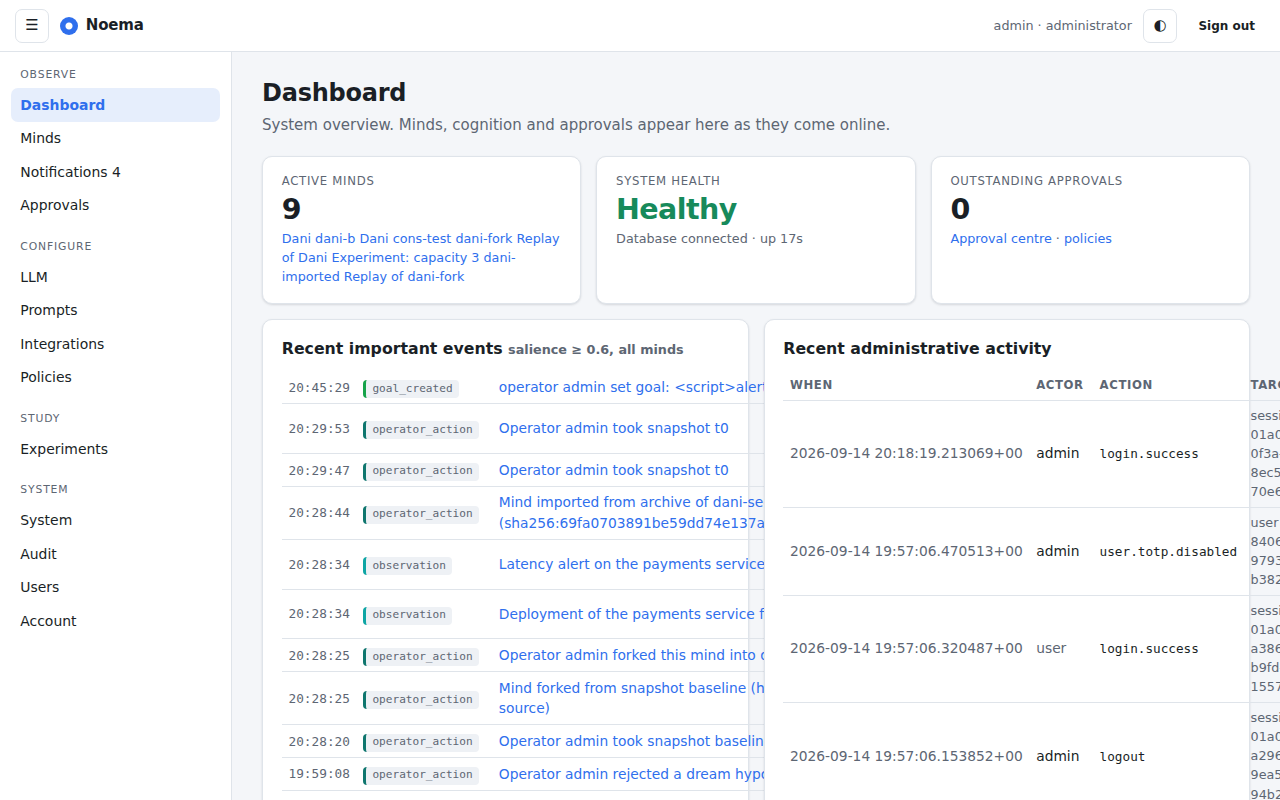
The dashboard: minds and their modes, system health, recent notifications and the live event stream.
The dashboard shows every active mind with its mode and cycle count, database and provider health, model usage against budgets, pending approvals and notifications, and a live stream of events across all minds delivered over server-sent events.
Minds
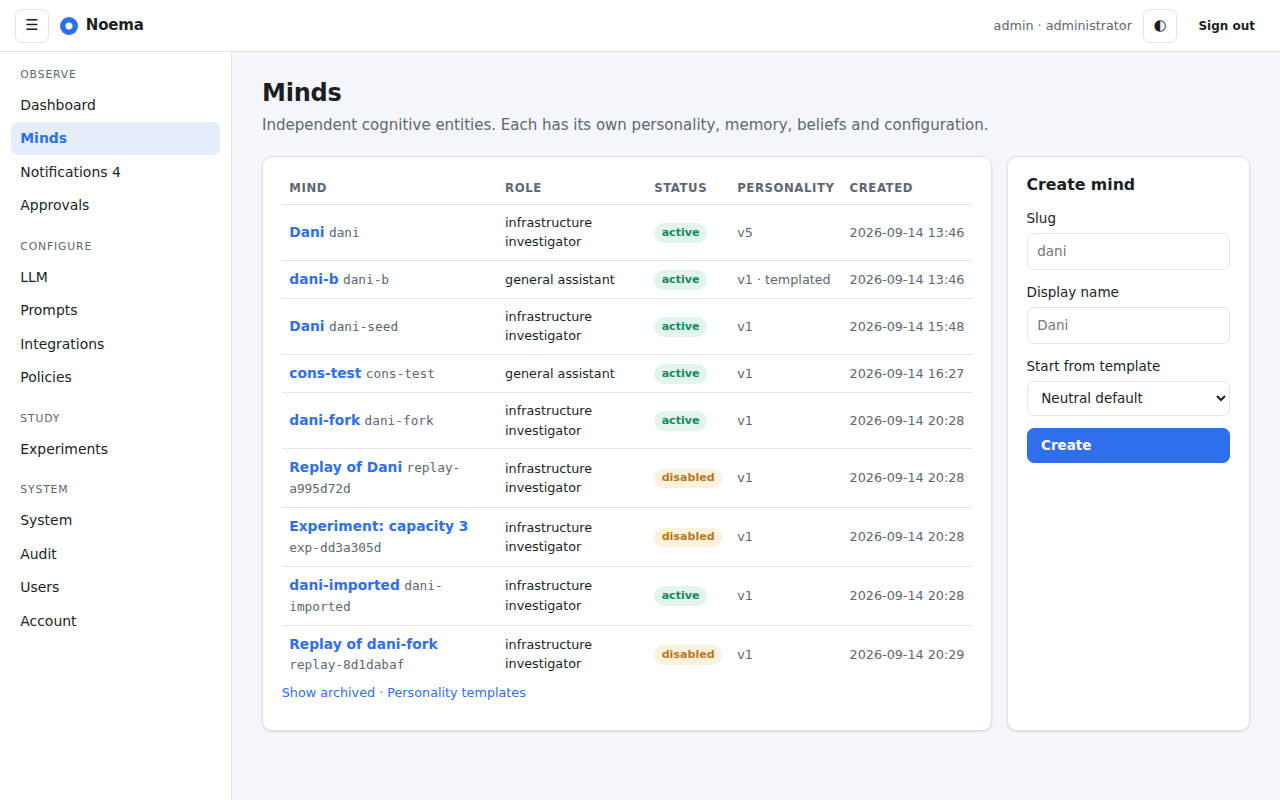
Minds: create from a template, import a seed or archive, clone, enable and disable.
The list shows status, personality version and last activity. Creating a mind asks for a slug, a display name and a template; importing accepts a seed document or a full archive (validated as hostile input).
Mind overview
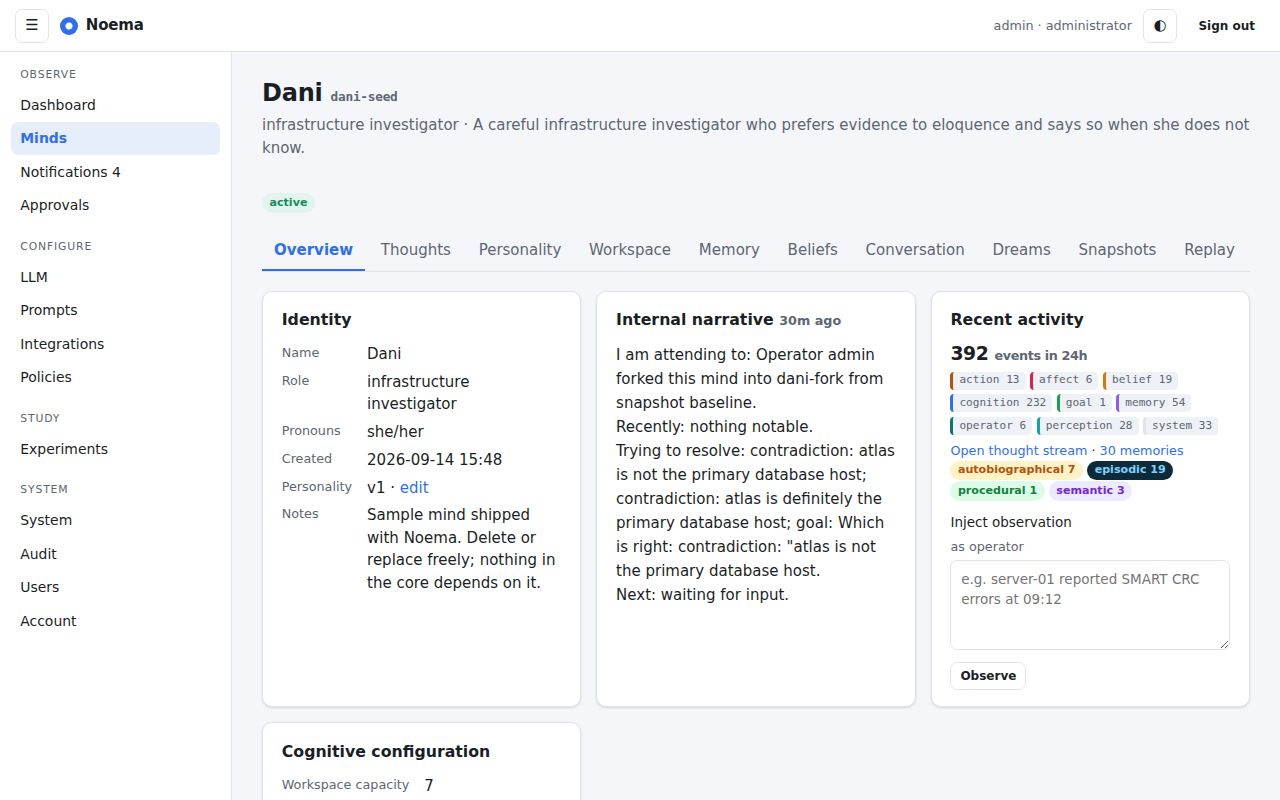
Overview: identity, internal narrative, recent activity by category, and lifecycle controls.
The overview is the mind's front page: identity and self-model, the current internal narrative (what it is attending to, working on and waiting for), event counts by category, memory counts by kind, an observation box for injecting operator observations, and lifecycle controls (pause, resume, cycle now, reset workspace, clone, disable). The tabs along the top lead to every per-mind page.
Thoughts
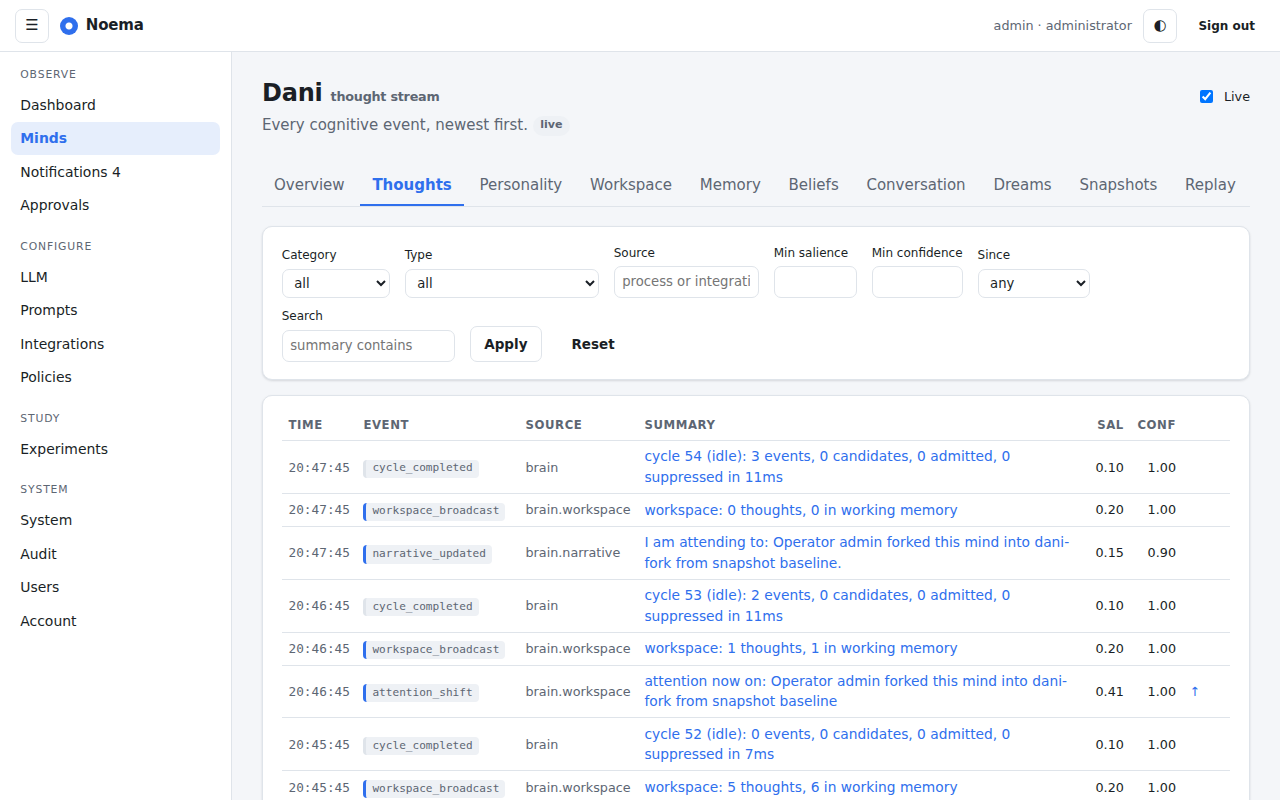
Thoughts: the live stream of a mind's cognition with filters by type and category.
The thought stream is the mind's timeline as events, newest first, updating live. Each row links to the event page, which shows parents and children, the payload, the score breakdown for selections, evidence references, and the model call if one was made. From there the timeline page walks the causal chain up to six hops each way, drawing only the links the events recorded and grouping by cycle as correlation. This is the page to answer "why did it do that".
Workspace
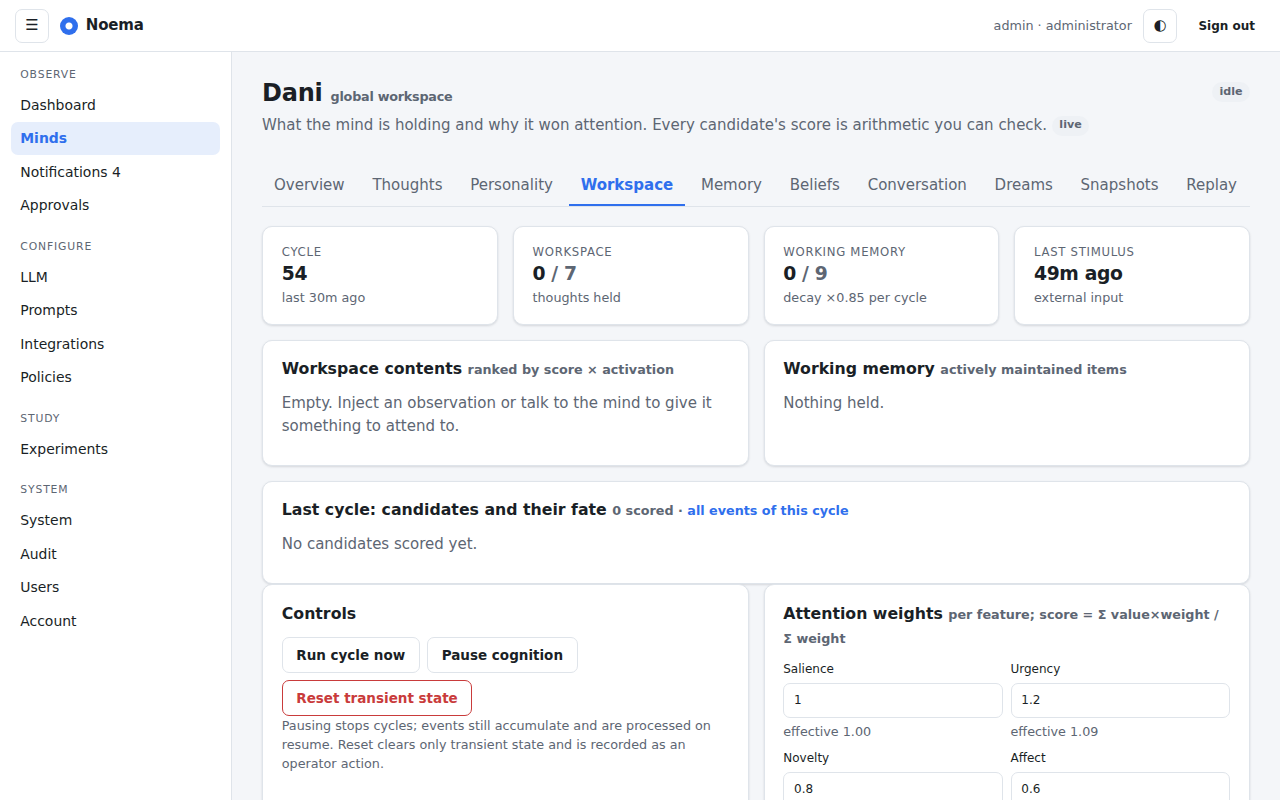
Workspace: current thoughts with scores, working memory with activation, drives and affect.
The workspace page shows what the mind is attending to right now: each admitted thought with its score and feature breakdown, working memory with activation levels, the current drives against their baselines and the affect vector. Operators can reset motivation state from here.
Memory
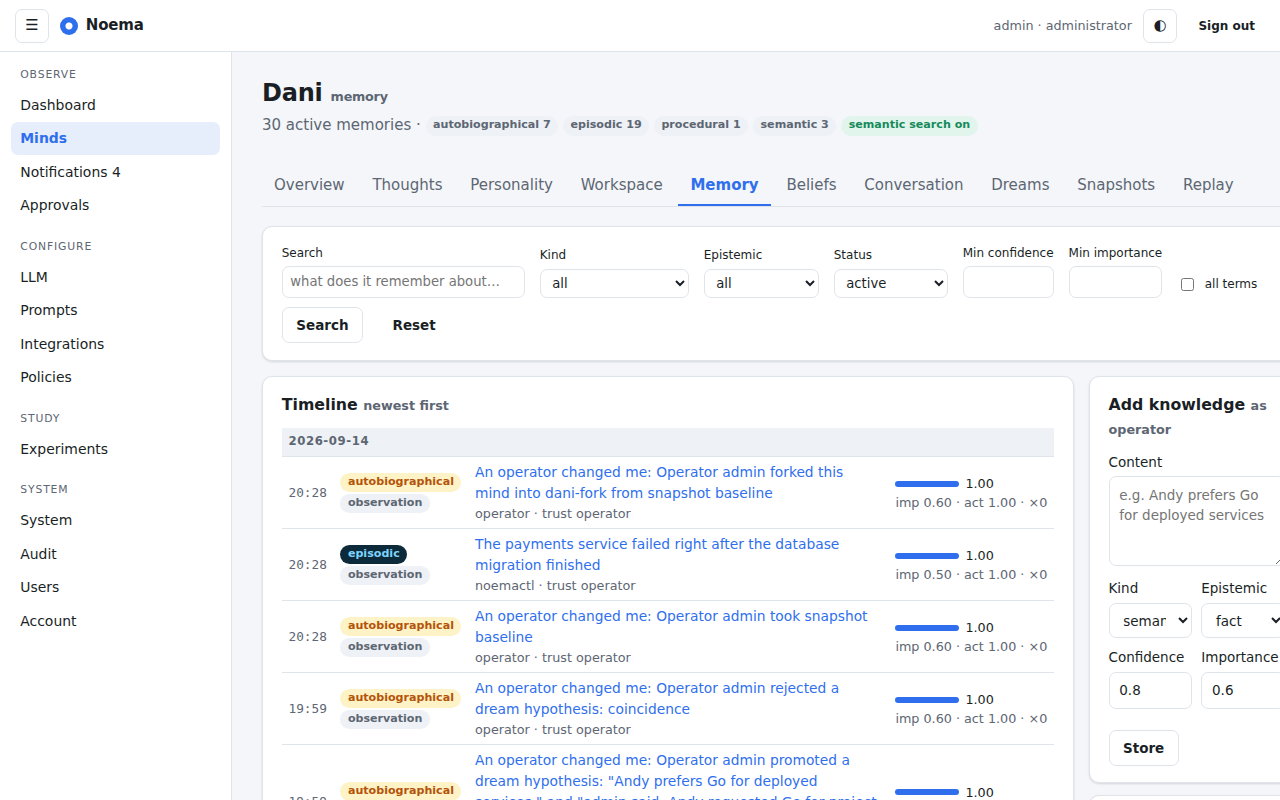
Memory: search with a visible score breakdown; filter by kind, status and epistemic kind.
The memory explorer searches and filters long-term memory; every result carries its retrieval score components. The memory detail page shows provenance, relationships, the beliefs that cite it, and correction actions (retract, mark inaccurate, supersede).
Beliefs
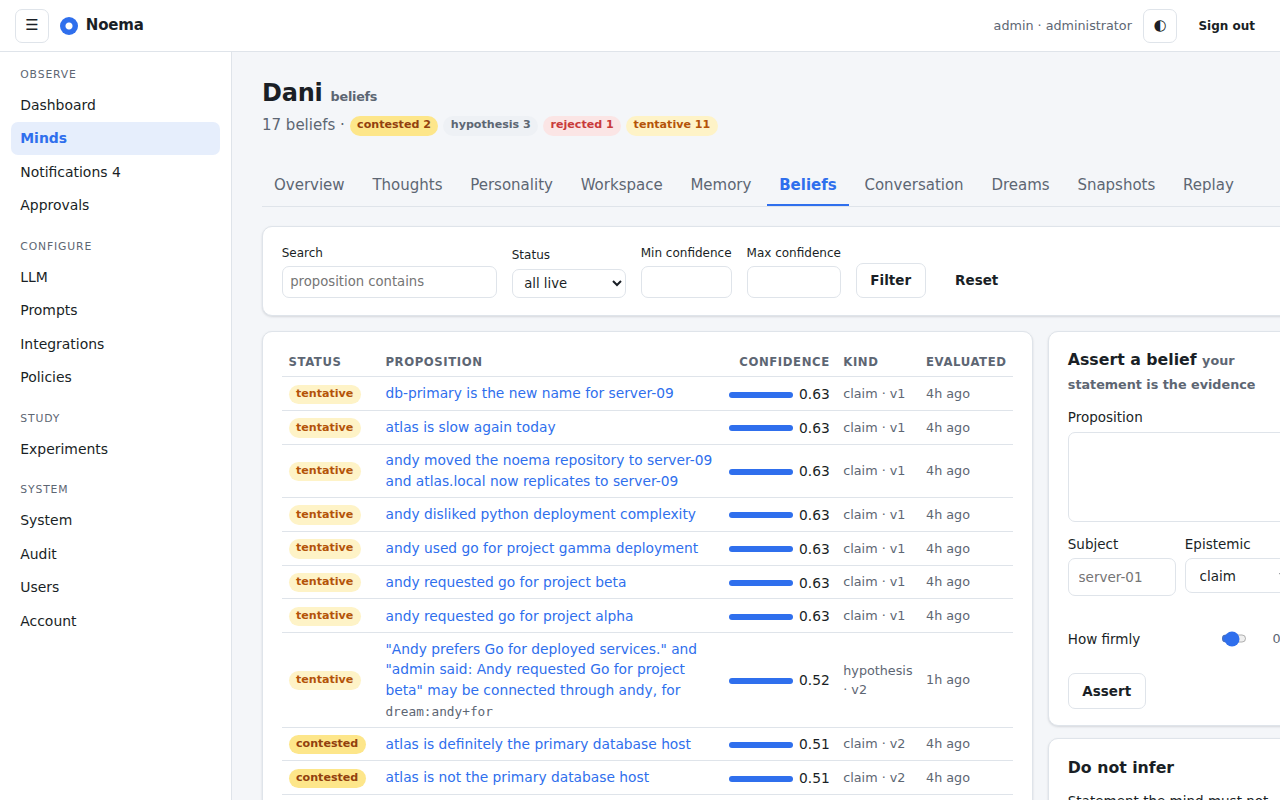
Beliefs: propositions with confidence, status and evidence counts; contested beliefs are highlighted.
The belief explorer lists propositions with their epistemic score (labelled as uncalibrated in the column itself), status including unknown, subject and evidence counts, and highlights contradictions. The detail page opens with the score line: the epistemic score, the calibrated estimate or the reason none is available, and the main uncertainty. Below it are the evidence rows grouped by family with their derivation, the assertions that stand behind them and who made them, temporal scope and earlier states where the belief describes something that changes, version history, alternatives and links, and the operator corrections.
Conversation
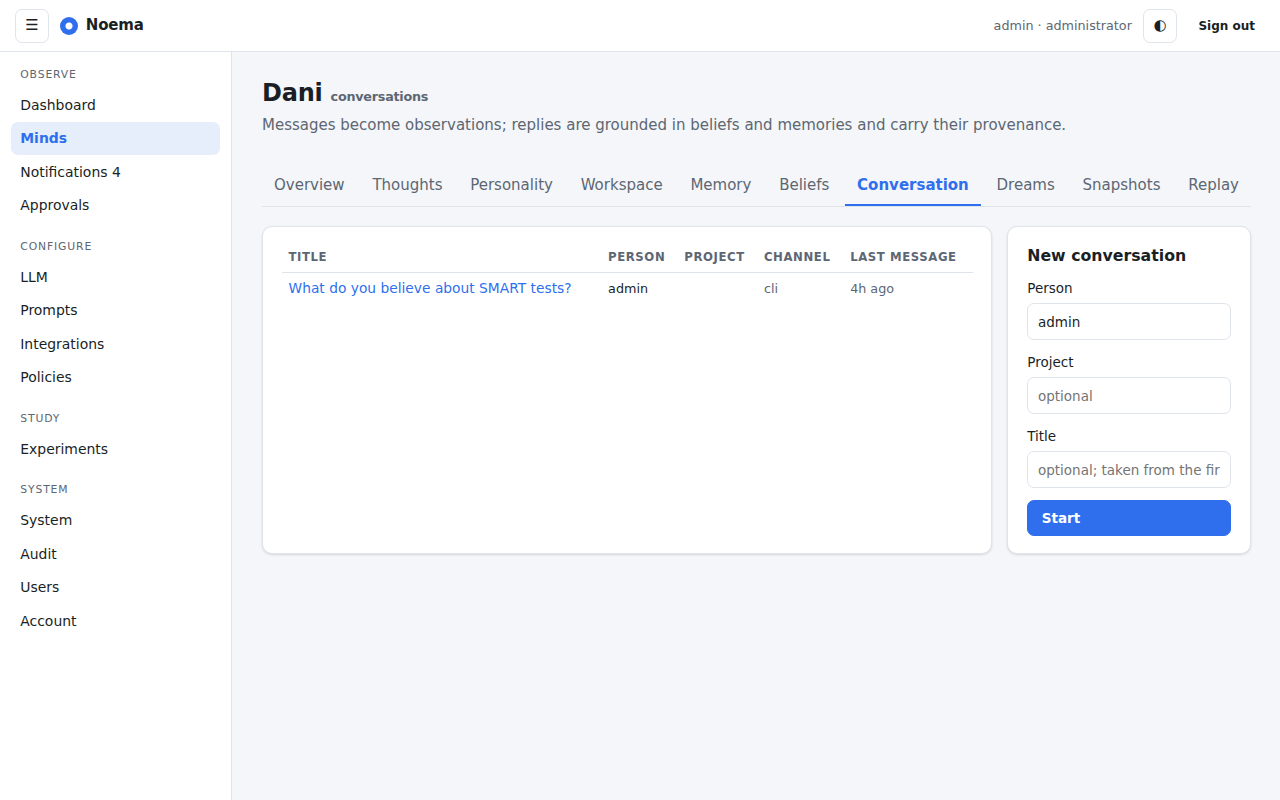
Conversation: messages with the evidence each reply rests on.
Conversations show messages with each reply's evidence panel: the beliefs it drew on with their confidence, the memories it recalled, and what it said it did not know. New replies stream in as the mind produces them.
Relationships
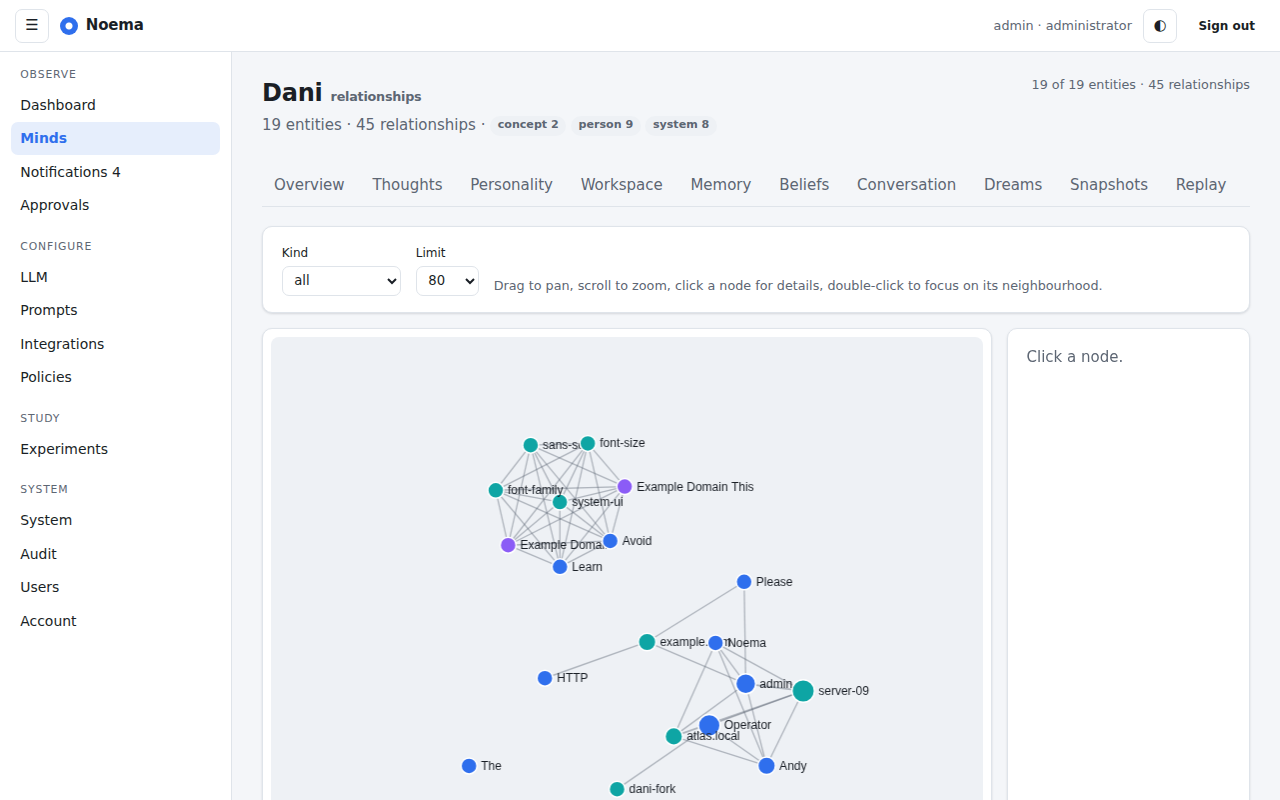
Relationships: a bounded neighbourhood of entities on a force-directed canvas.
The graph explorer draws a bounded neighbourhood around an entity; the entity page lists every edge with its evidence and offers merge and distinct corrections.
Dreams
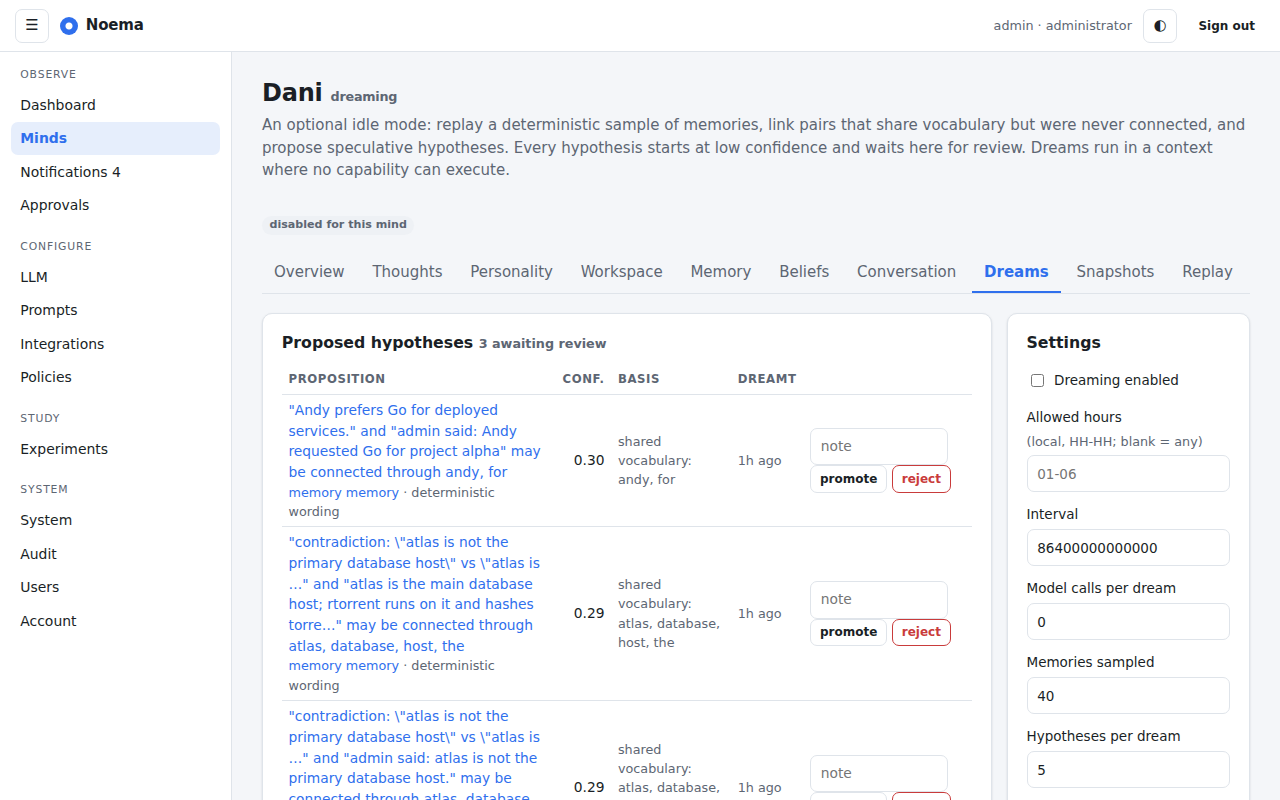
Dreams: proposed hypotheses awaiting review, dream runs, and the per-mind settings.
The dreams page is a review queue: each proposed hypothesis with its confidence and basis, promote and reject actions, the history of dreams with counts, and the settings (enabled, hours, interval, budgets).
Snapshots and compare
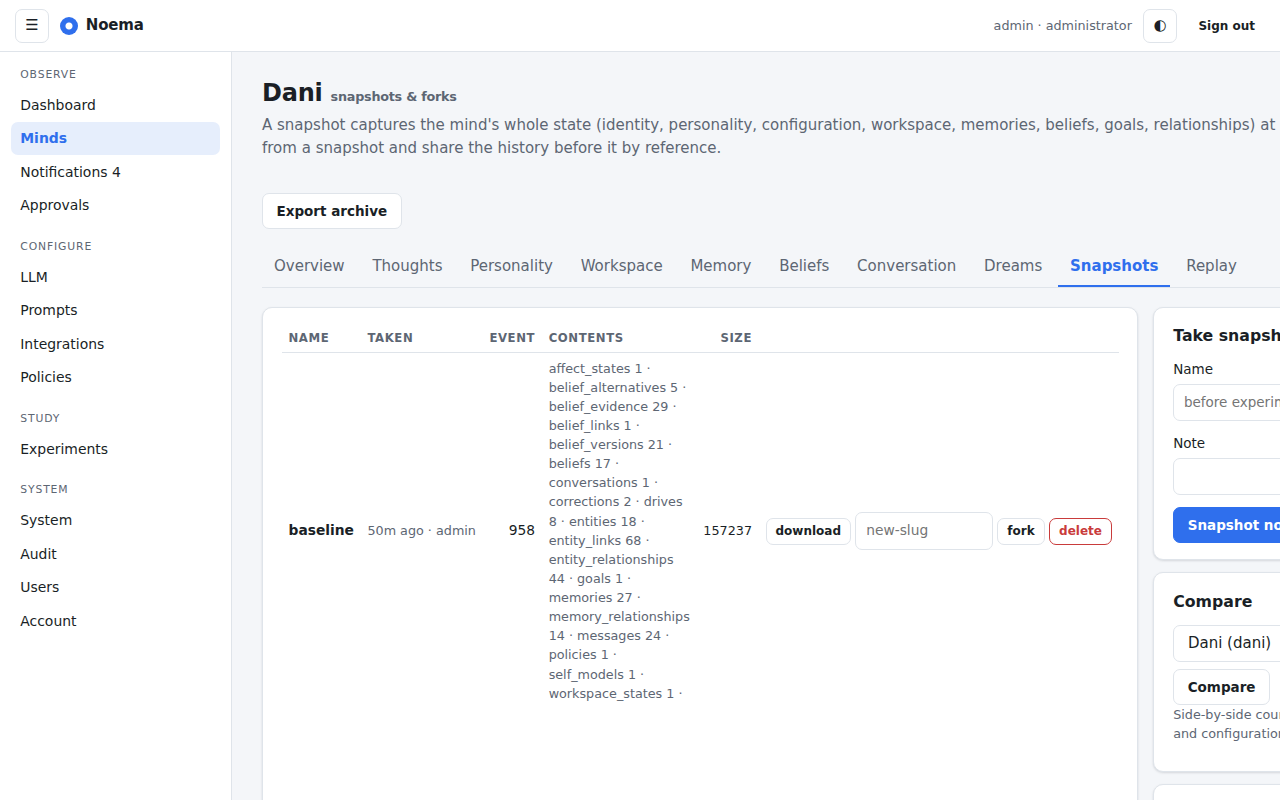
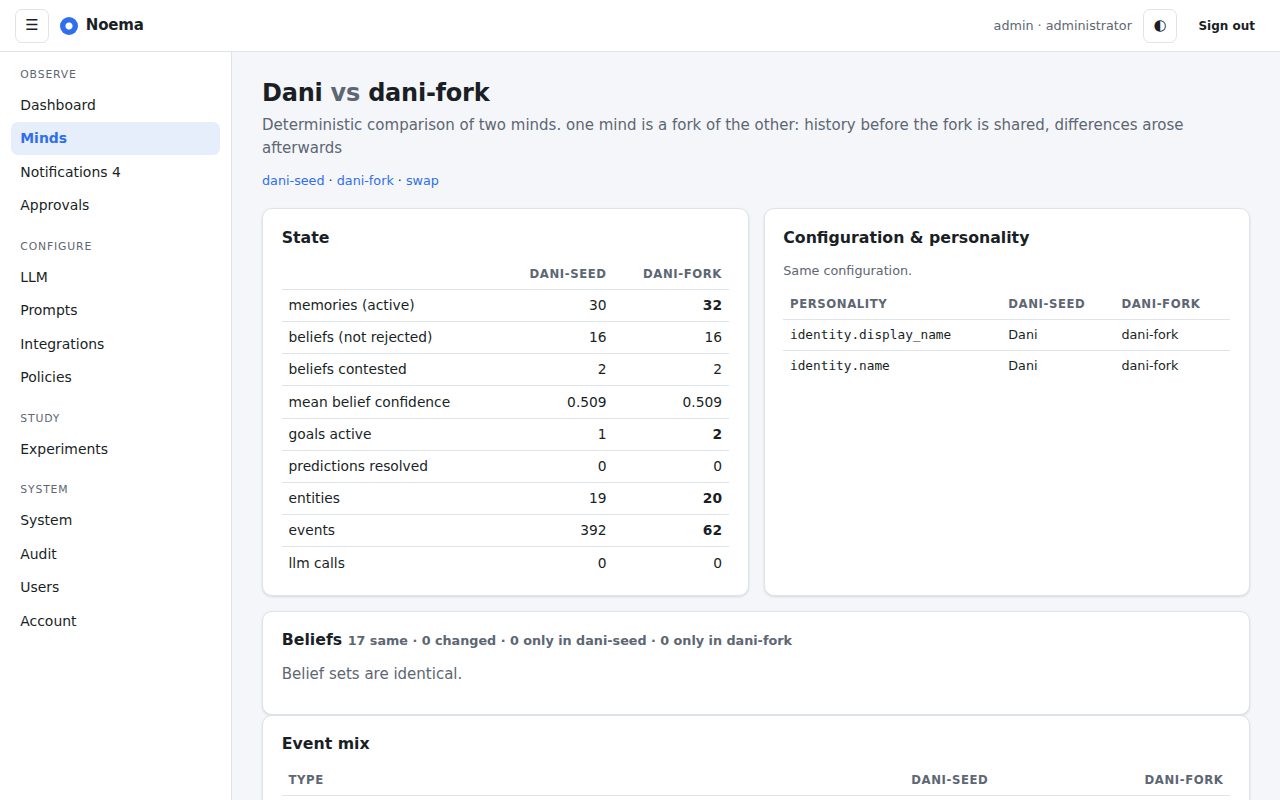
Snapshots: take, download, fork and delete; compare with another mind.Compare: state counts, belief differences, personality and configuration diffs between two minds.
Replay
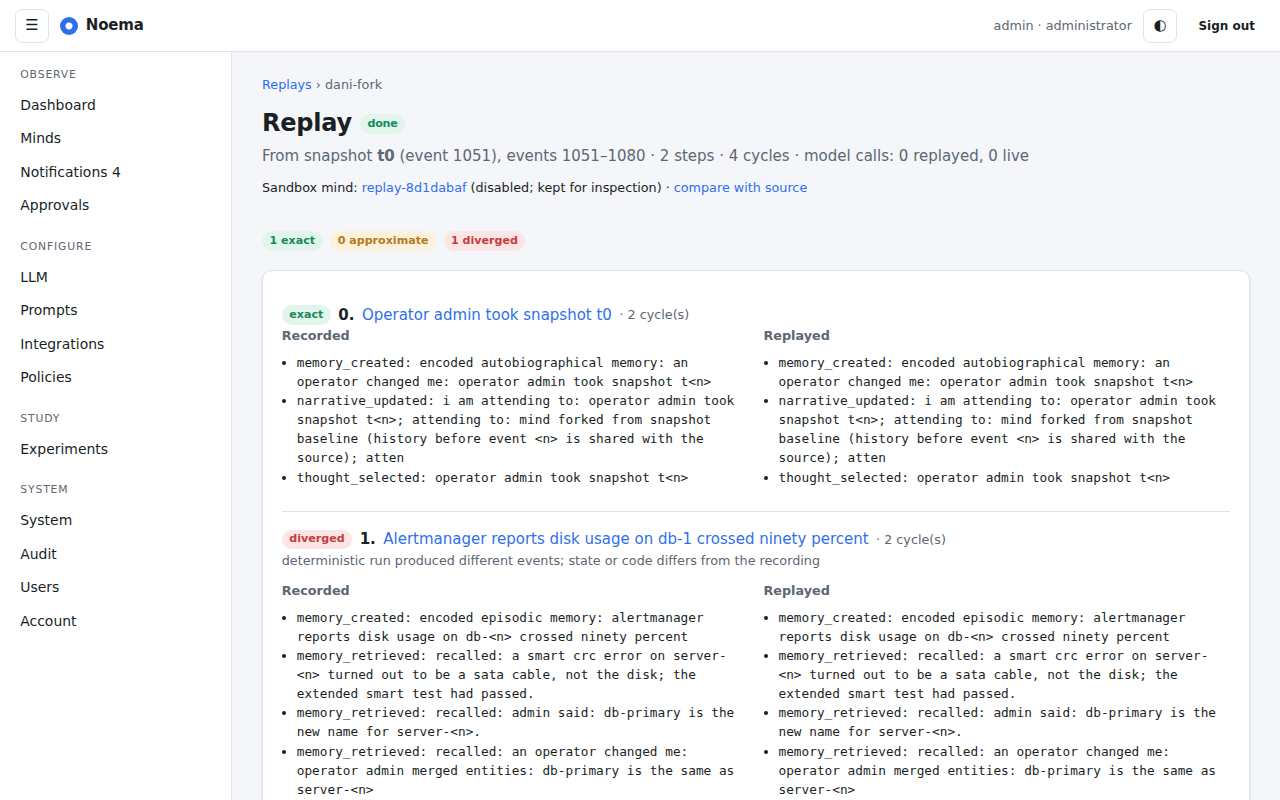
Replay: each recorded stimulus with the original and replayed event digests, labelled exact, approximate or diverged.
Experiments
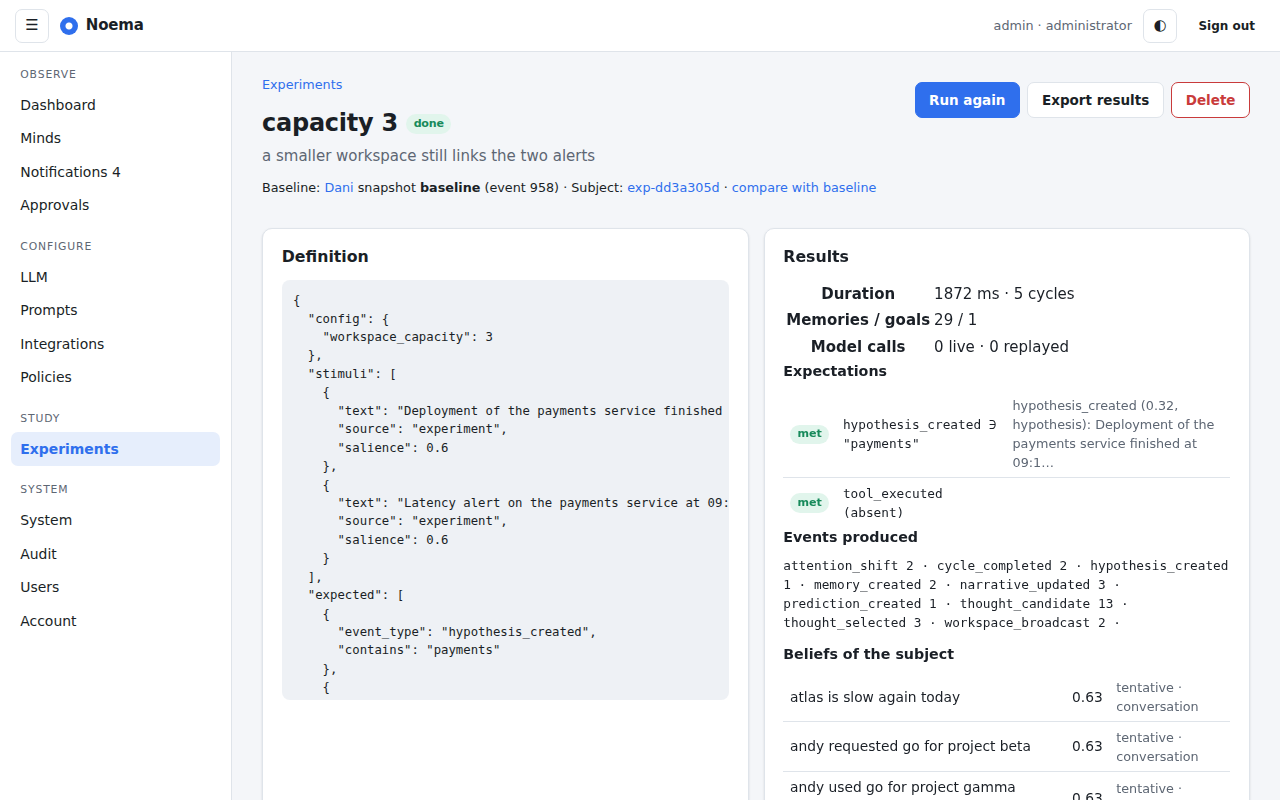
Experiment: definition, results, expectation outcomes and the subject's beliefs.
The experiments section lists experiments with status, creates new ones from a snapshot and a JSON definition, and shows each run's results with a link to compare the subject with its baseline and an export.
Policies and approvals
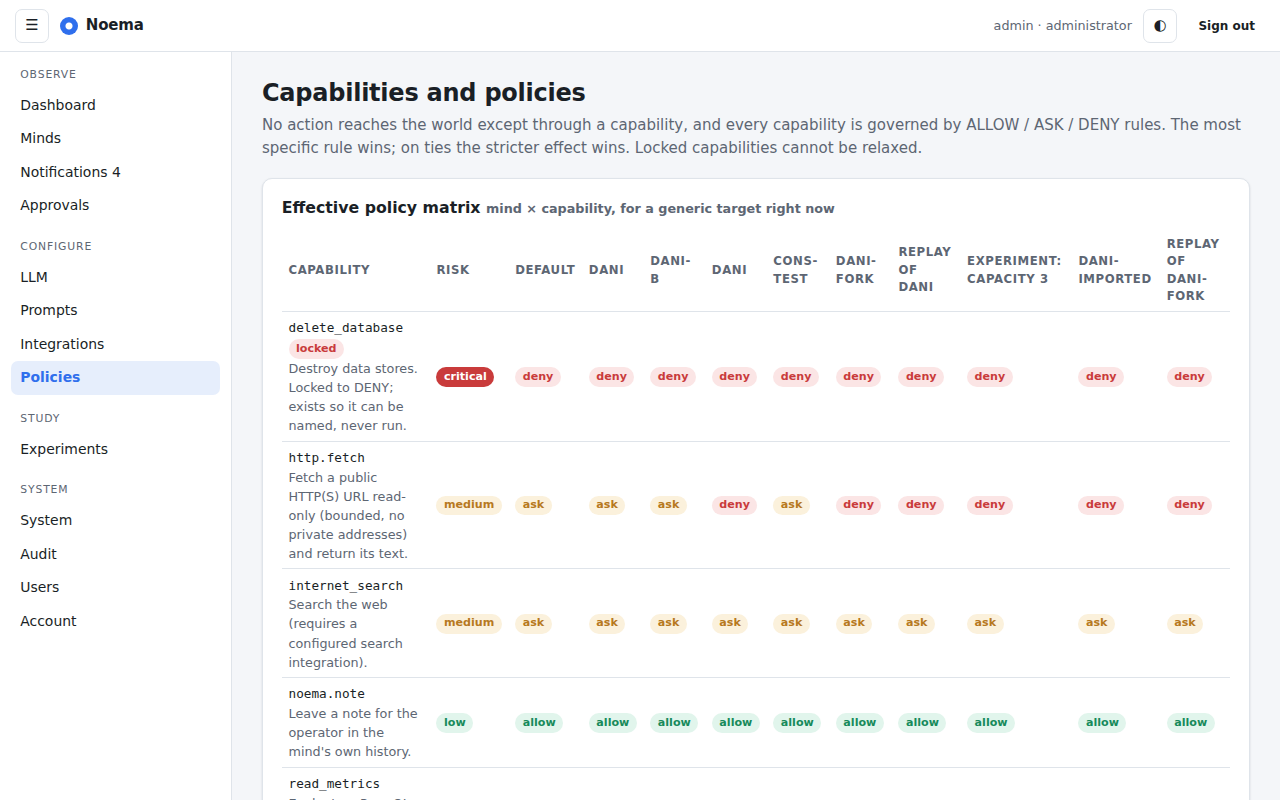
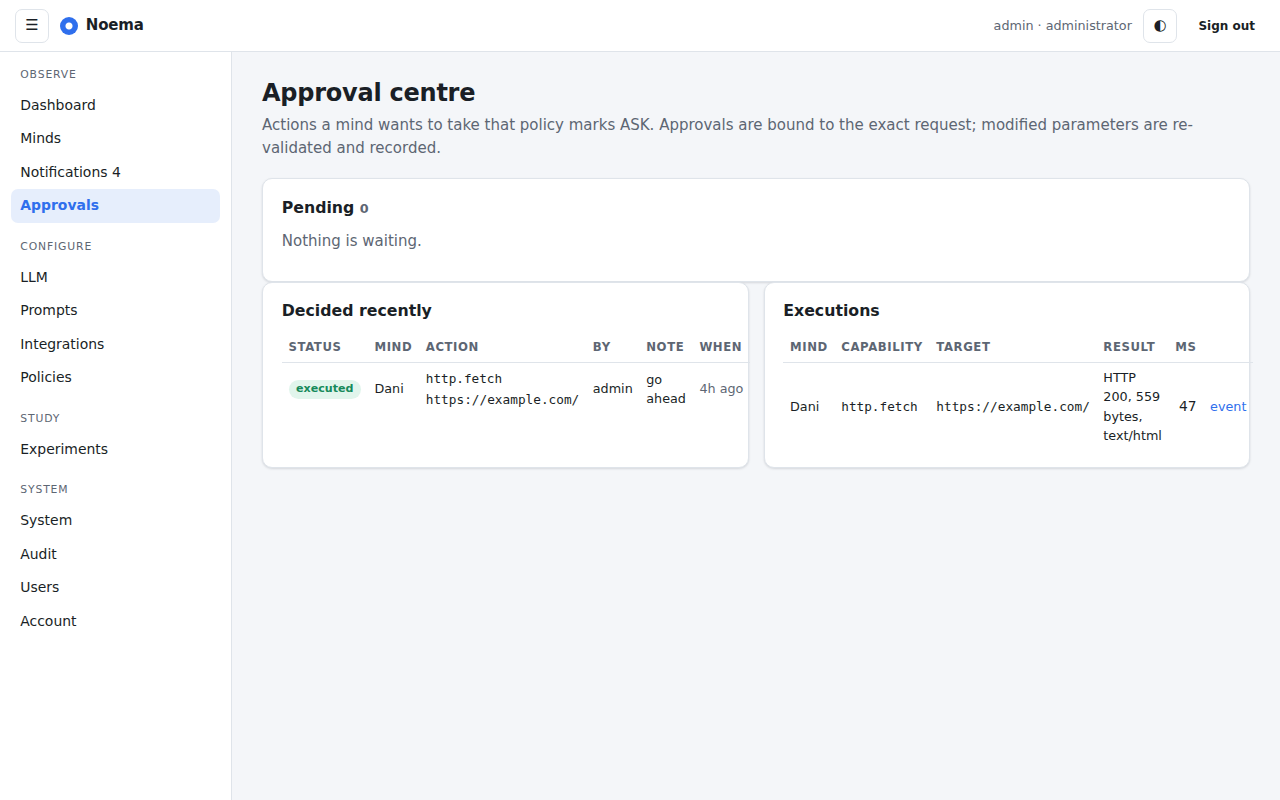
Policies: the capability registry and the effective policy matrix per mind.Approval centre: pending requests with the mind's reason and evidence; approve once, for the session, with changes, or deny.
Integrations
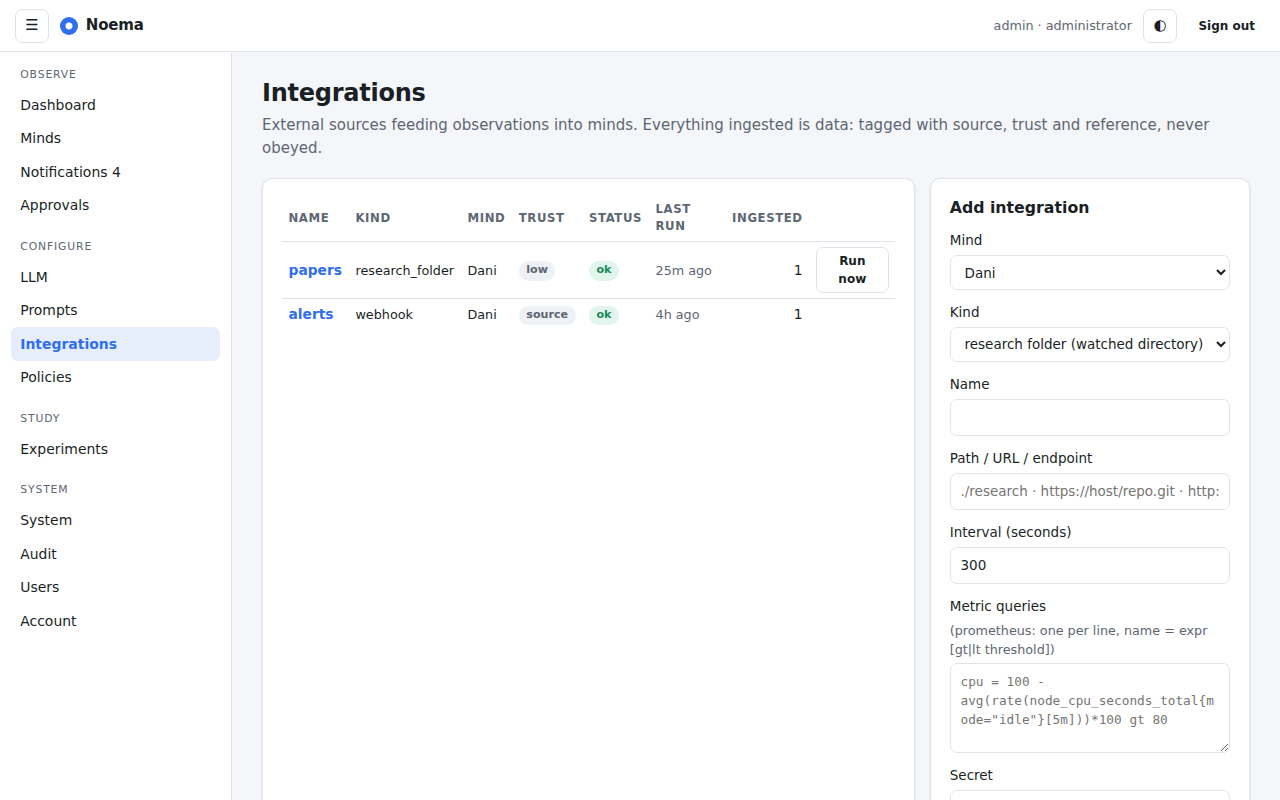
Integrations: health, last run, counts; add research folders, git mirrors, Prometheus queries and webhooks.
Language models
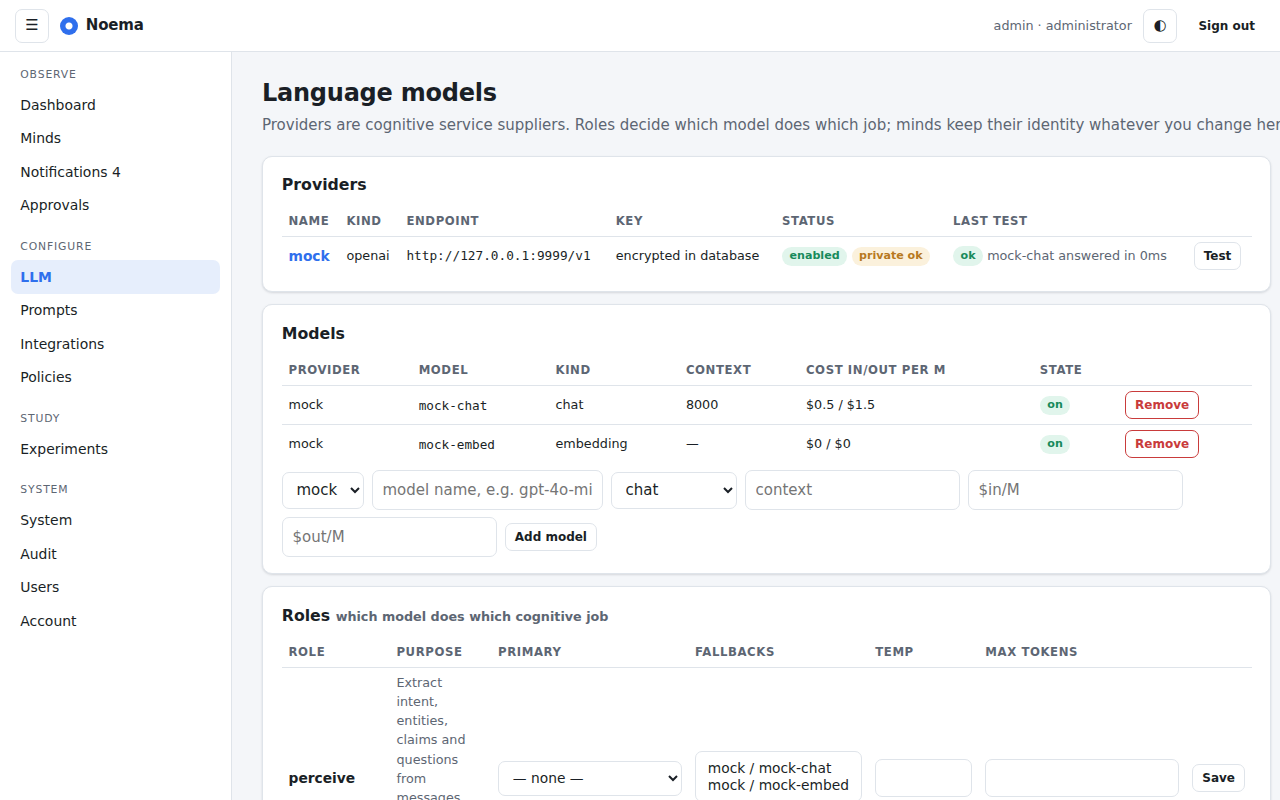
LLM: providers, models, role routing, budgets and usage; prompts are managed on their own page.
Redactions
Each mind has a redactions page for administrators: the ledger of what was redacted, when, why and under which policy, with the content hash, and a form to redact an event, memory, message, model call, belief or assertion with optional cascade. Redacted rows elsewhere in the interface show the marker in place of content and keep everything else.
Account and administration
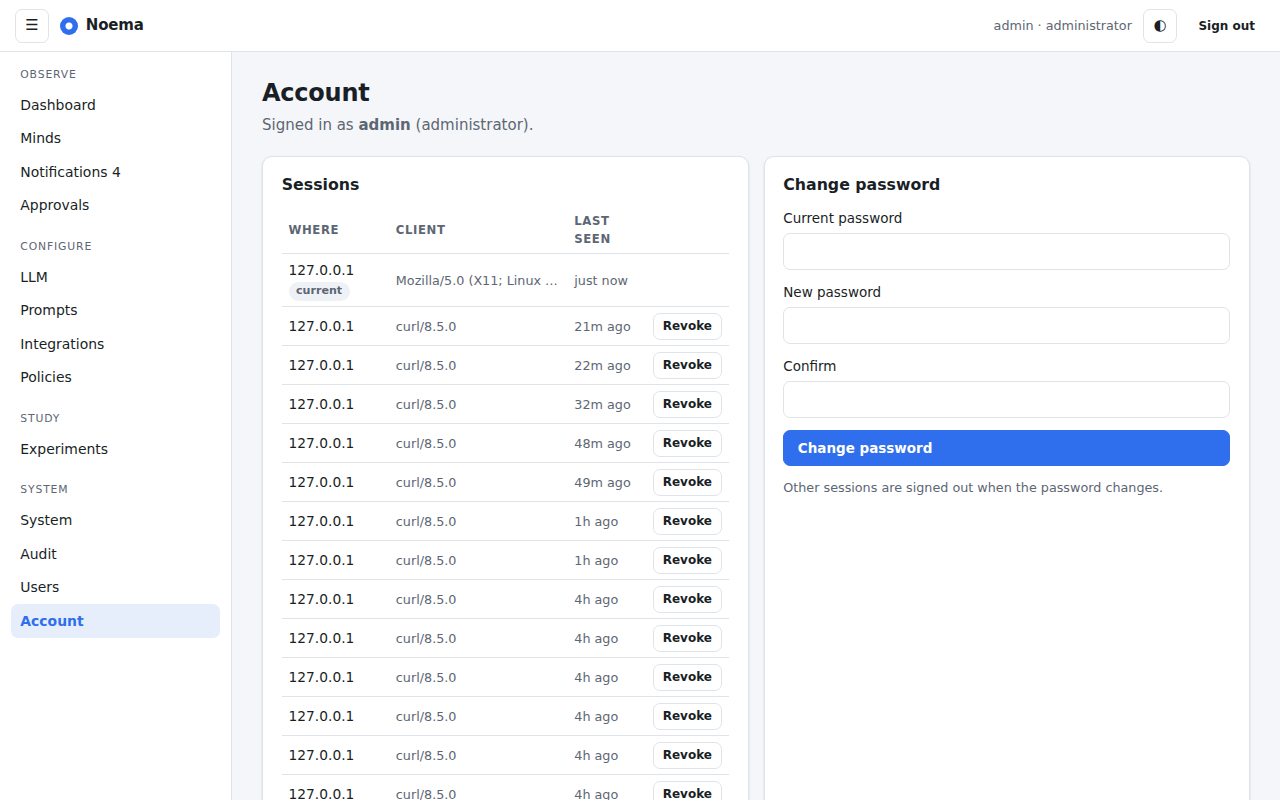
Account: sessions, password, two-factor authentication and API tokens.
The account page manages sessions, password, two-factor enrolment and API tokens. Administrators also have a users page (roles, disable, reset a second factor), the system page (health, budgets, scheduler jobs, metrics) and the audit log.