 Apex
Apex
A text editor that opens before you've finished blinking, and then gets out of your way.
Native, written in Rust, and built around the things that make a great editor feel great: instant start-up, multiple cursors that never fumble, search that keeps up with your brain, and git that doesn't make you leave the window. No telemetry. No account. No network. It just edits text, very, very fast.
- Rust
- Linux, Windows, macOS
- 30 languages
- Offline
- Open source, AGPL-3.0
First things first: go and buy Sublime Text
I want to be really clear about this. Sublime Text is a brilliant piece of software, made by a small team who have quietly set the bar for what an editor should feel like for well over a decade. Goto Anything, multiple cursors, that ridiculous speed: half the industry copied them, and Apex is no exception. If you can use it, use it, and pay for the licence. They've earned it.
Apex exists for one boring reason: my employer doesn't allow Sublime Text on its machines. A few of us had relied on it for years and found the alternatives slow, heavy, or just not the same. So rather than grumble, we started building our own, with Sublime's responsiveness and workflow as the north star. It is a tribute, not a replacement.
Support Sublime TextMeasured, not guessed
Every number here comes from the benchmark suite in the repository, run on an ordinary 8-core Linux box with software rendering (so a real GPU only makes it quicker).
- 166 msprocess start to window, empty
- 71 µsto type a character in a 1 MB file
- 3.6 msper keystroke with 1,000 cursors
- 926 MiB/sliteral search through 10 MB
- 248 µsre-highlight after an edit in 100 KB of Rust
- 458 msto open a 100 MB file
Plus around 42,000 lines of Rust, fuzzed text transactions, settings, search and session parsers, and a feature matrix that records what's verified and what isn't. I'd rather tell you a limitation than have you find it.
The tour
Click any of these for the full-size picture.
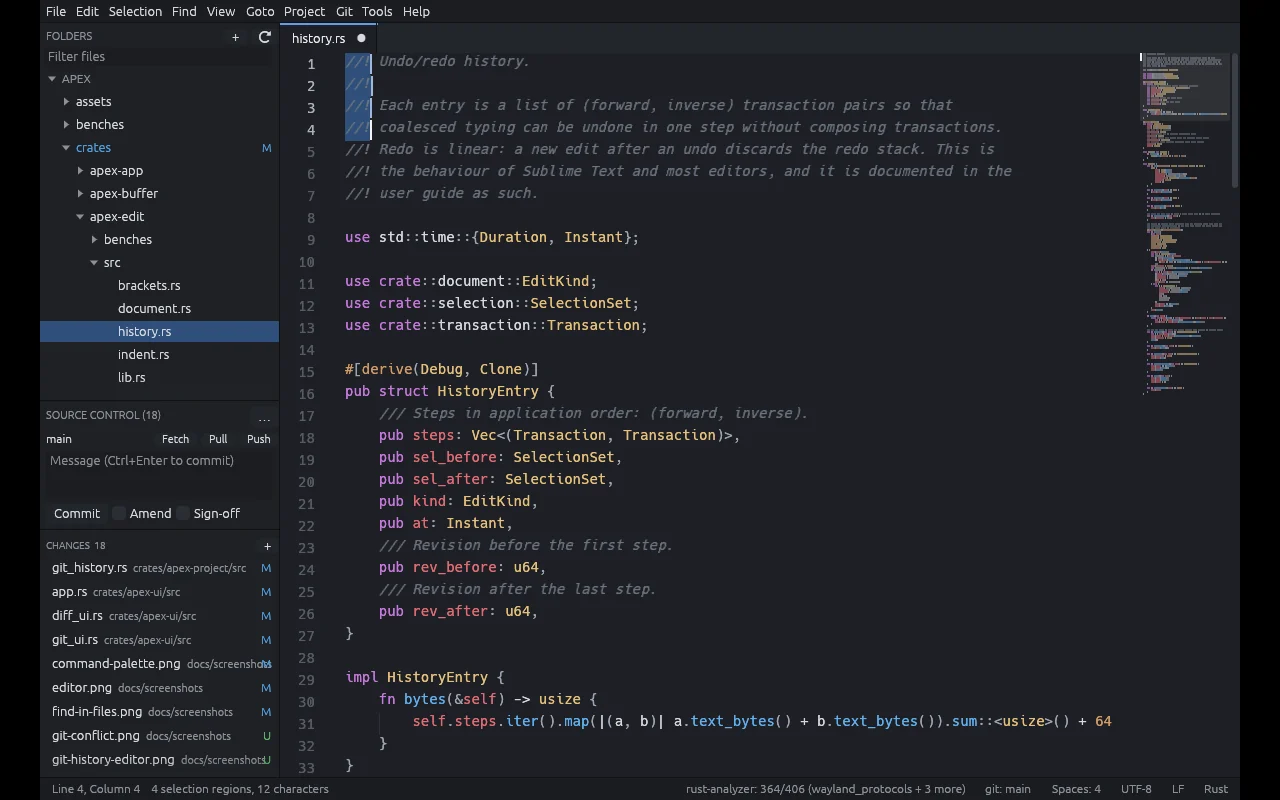
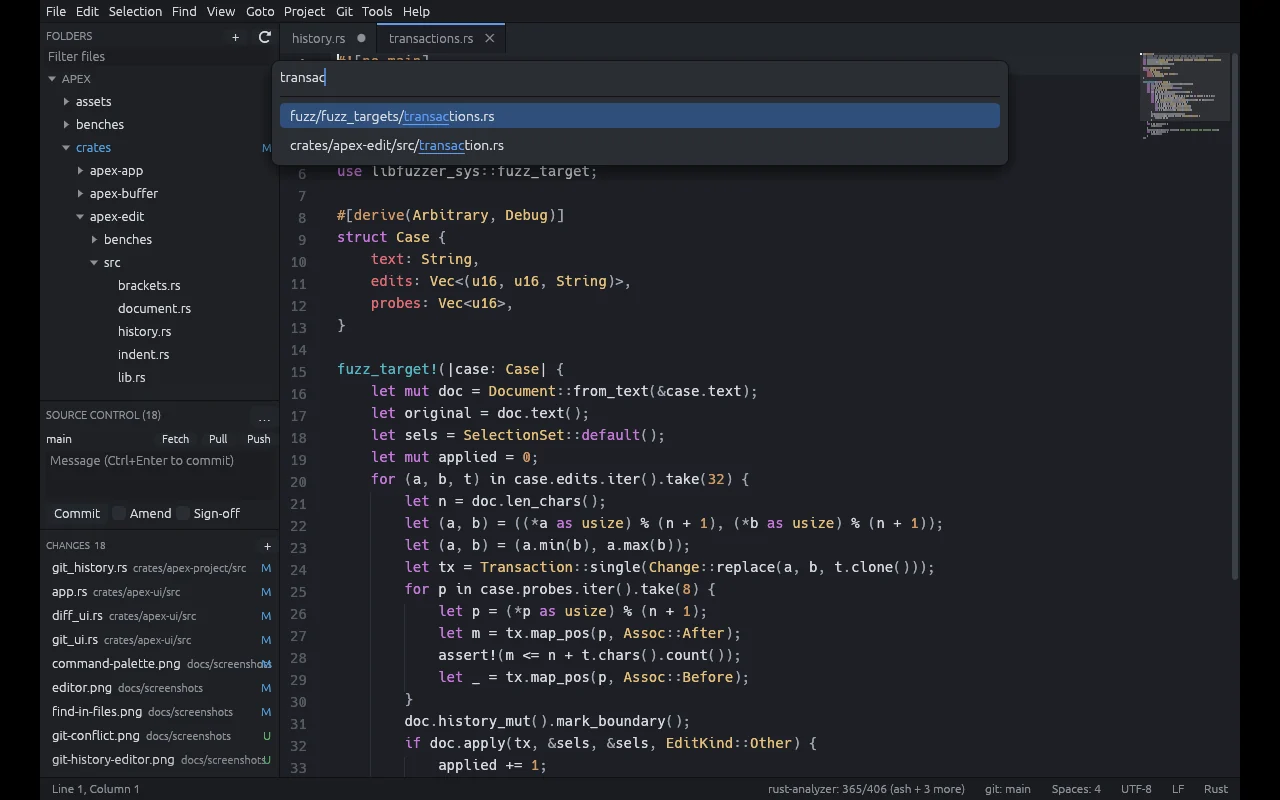
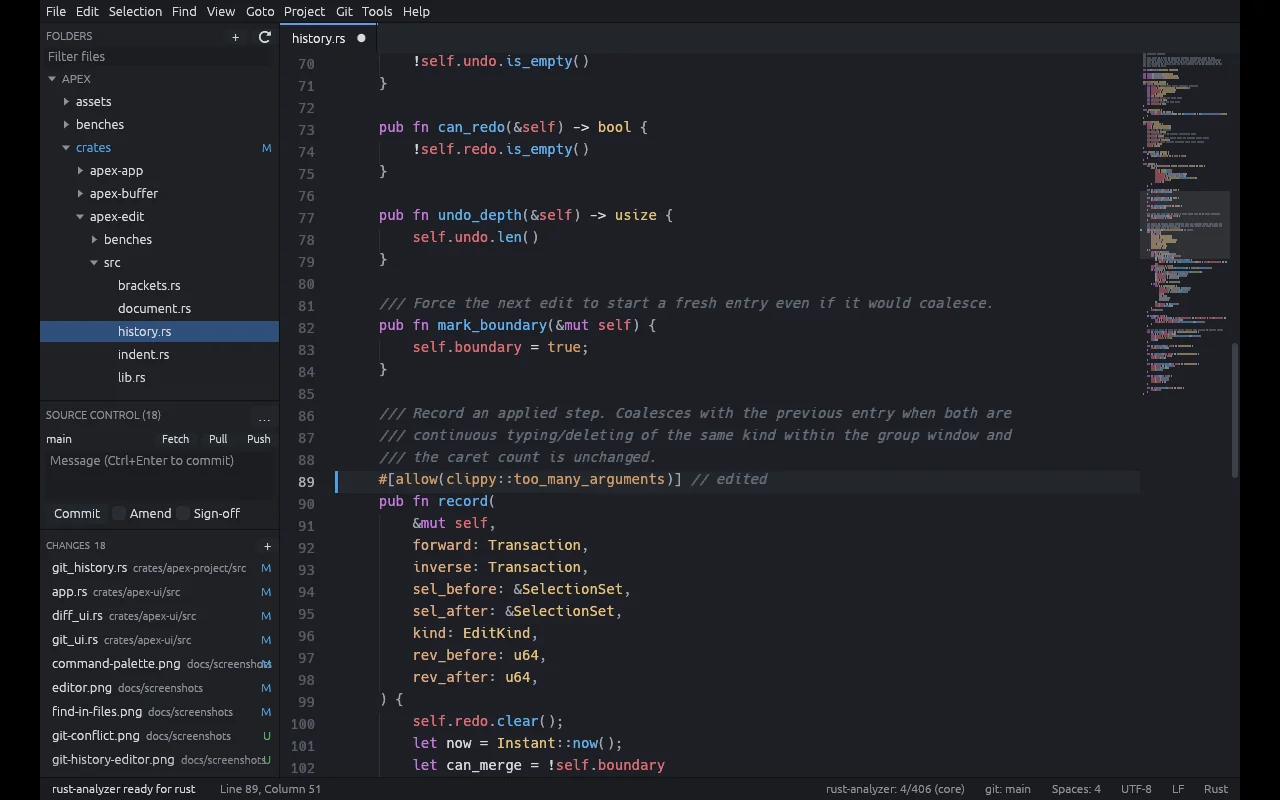
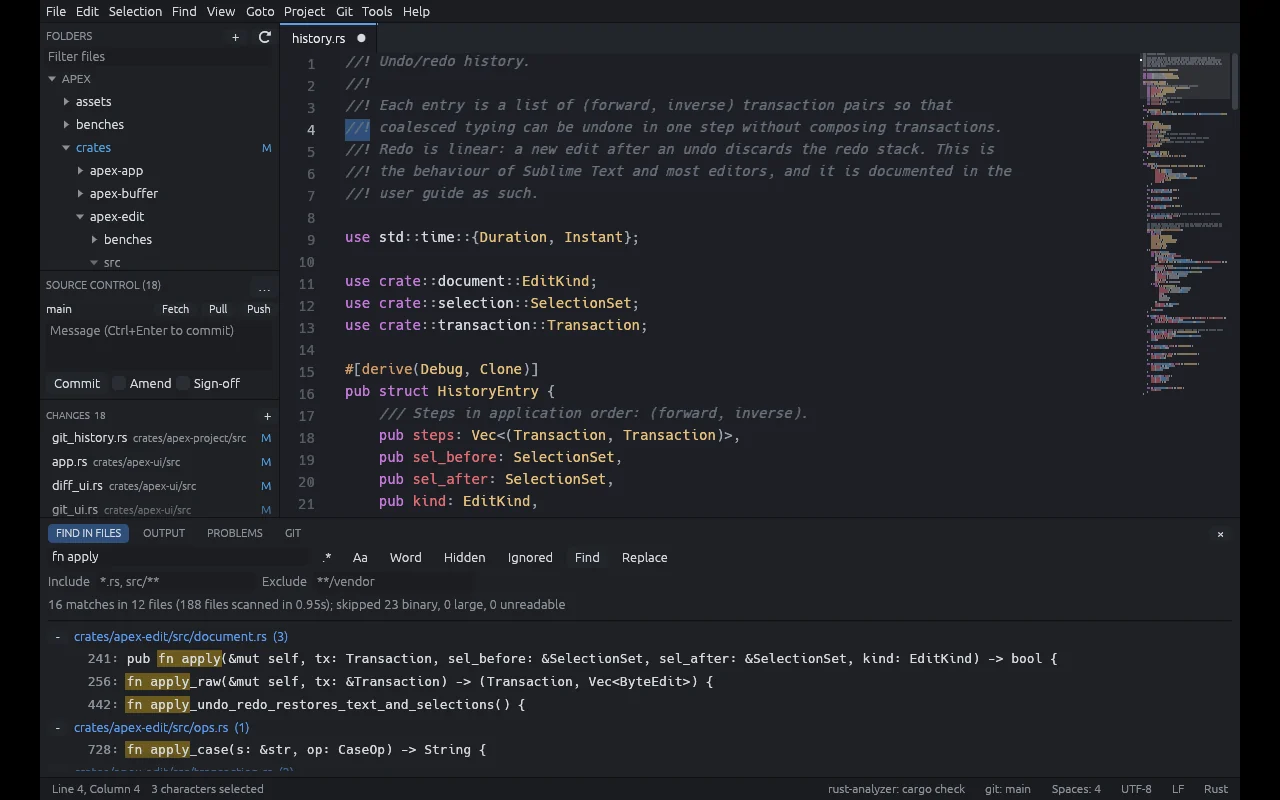
:line, @symbol, #project symbol, >command. One box, Ctrl+P.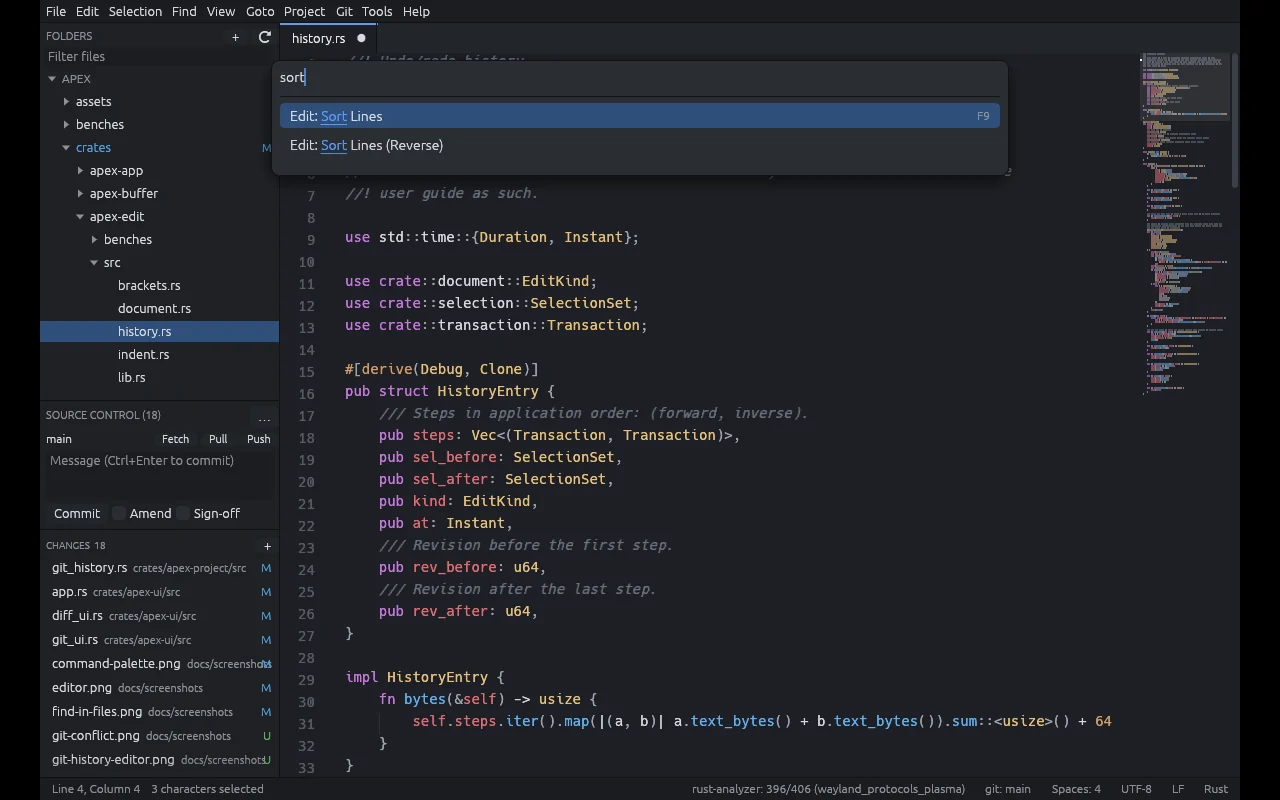
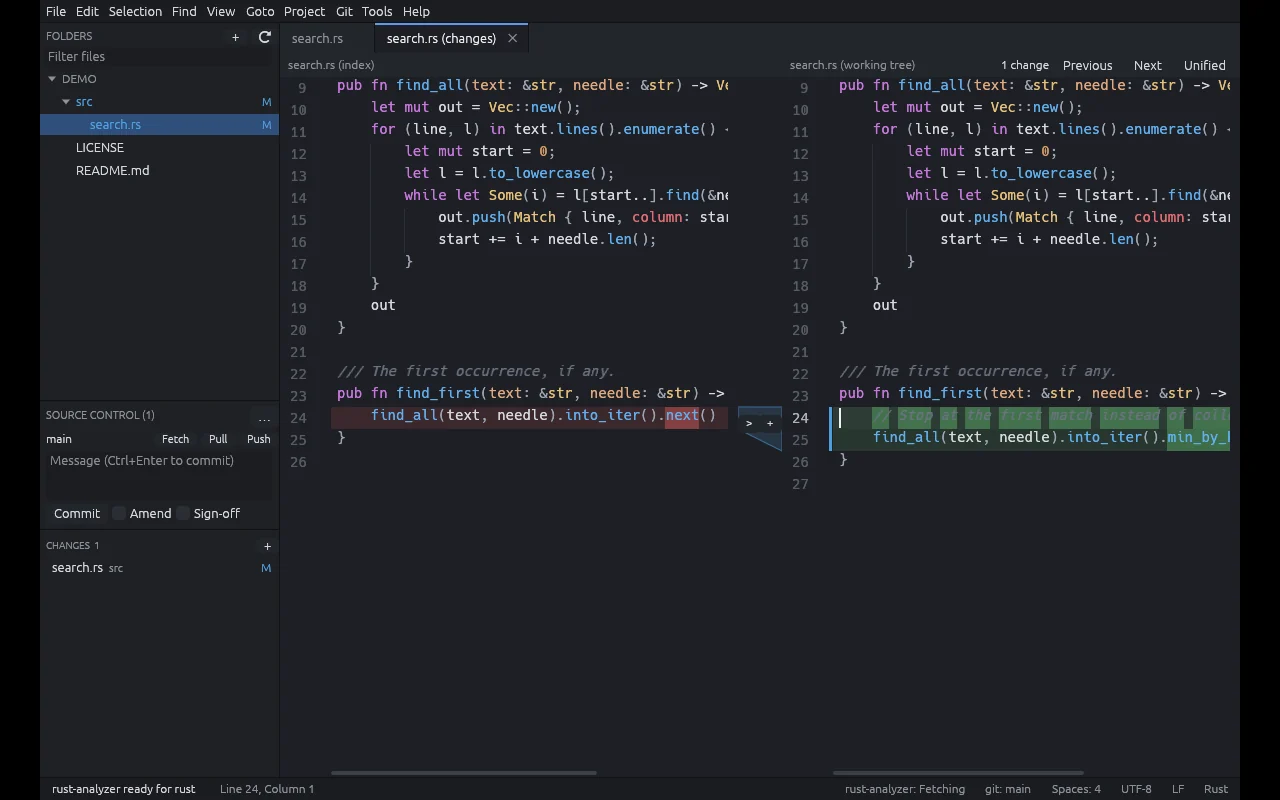
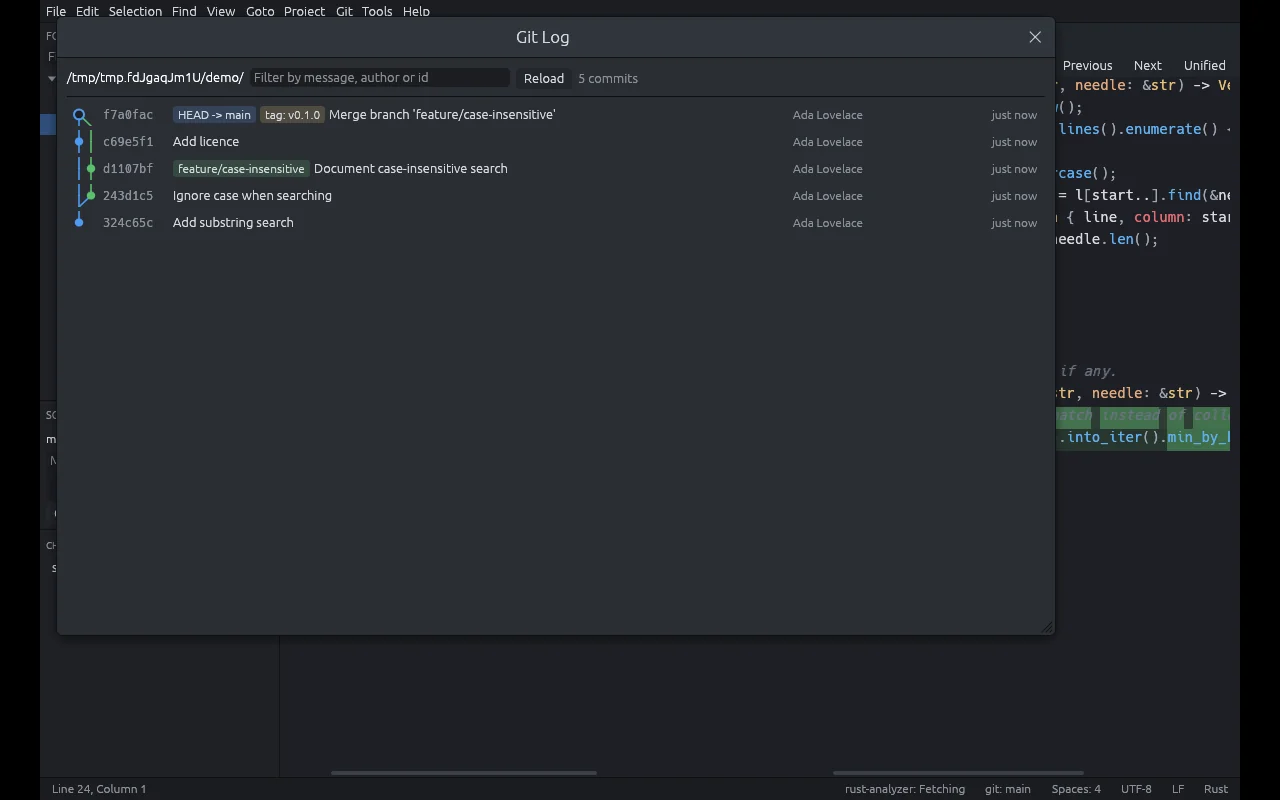
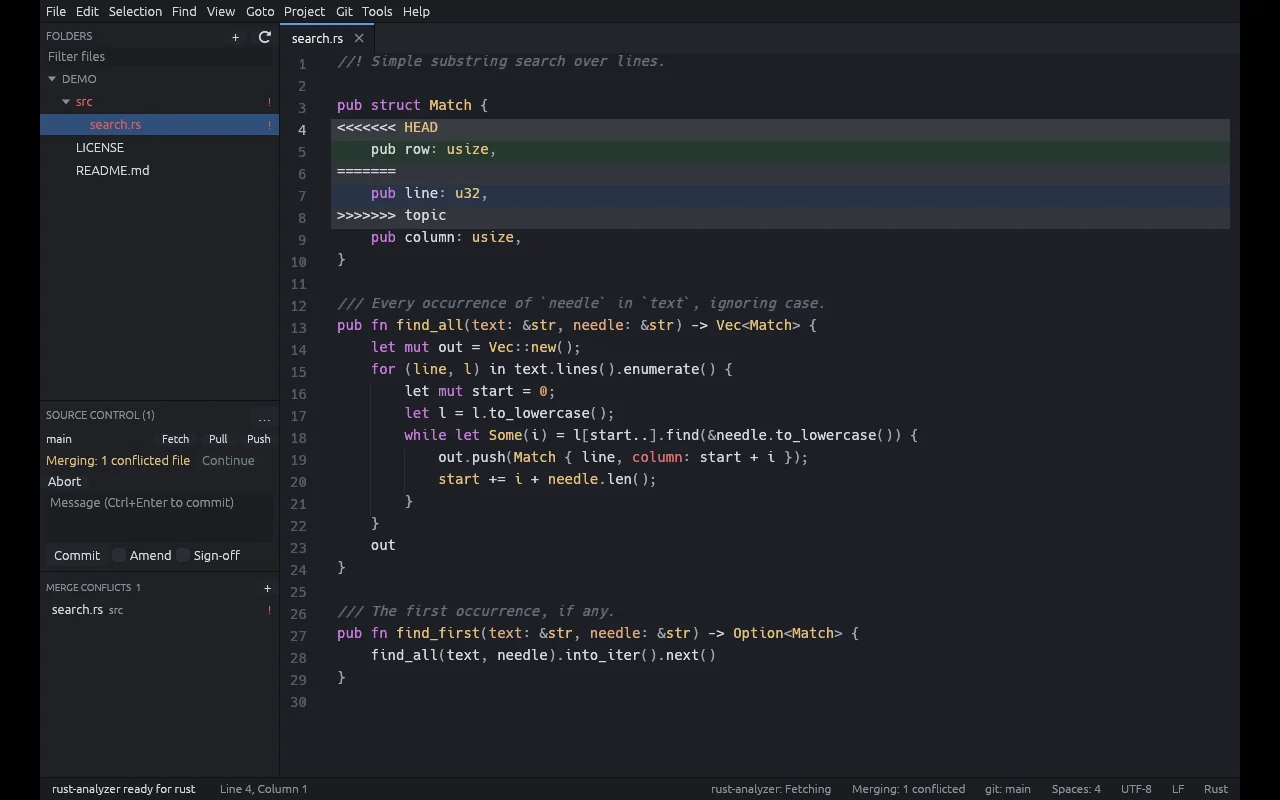
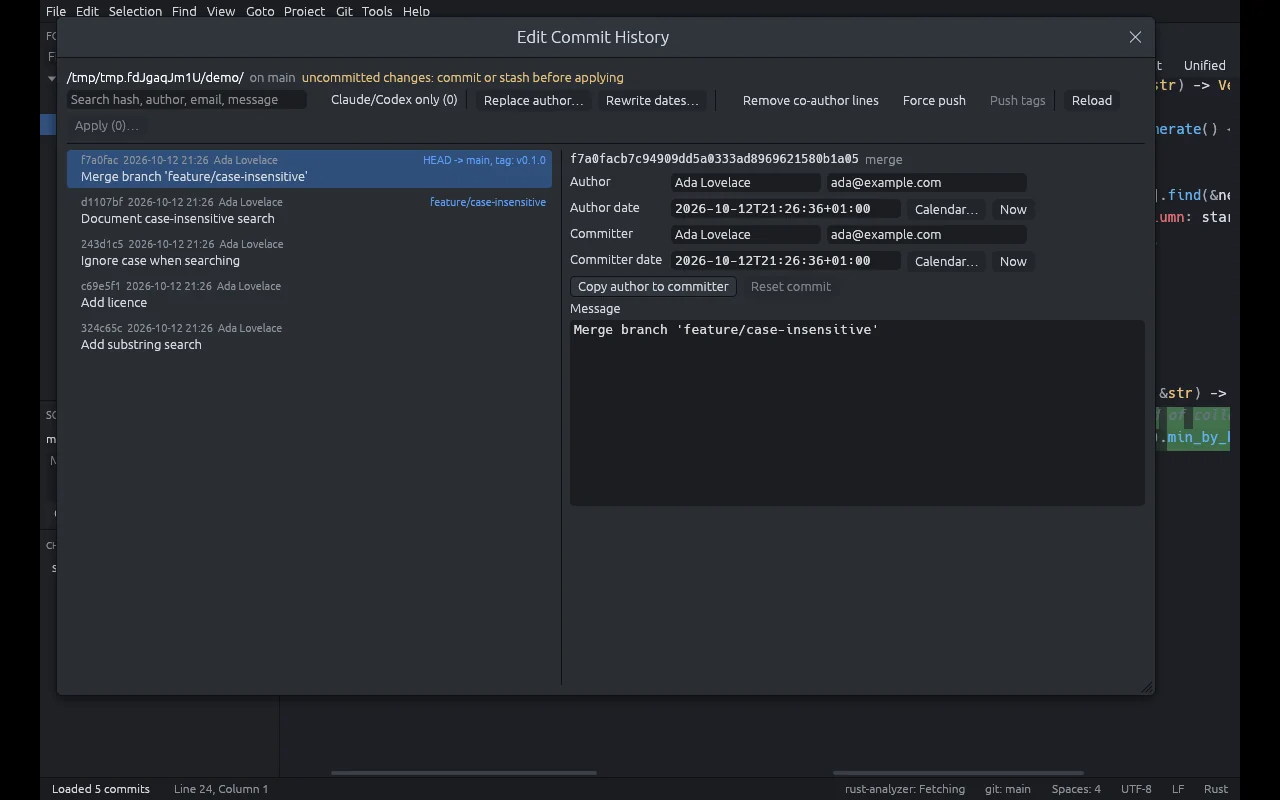
rebase -i incantation.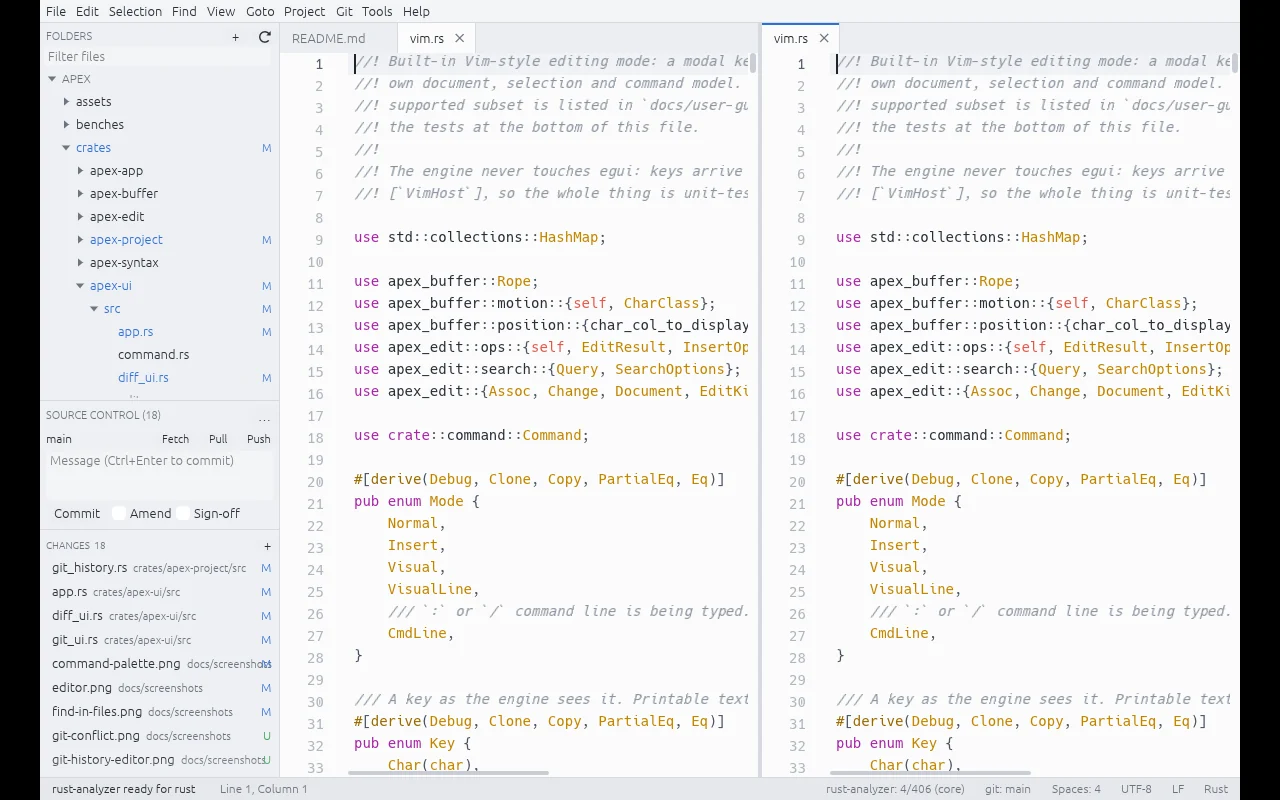
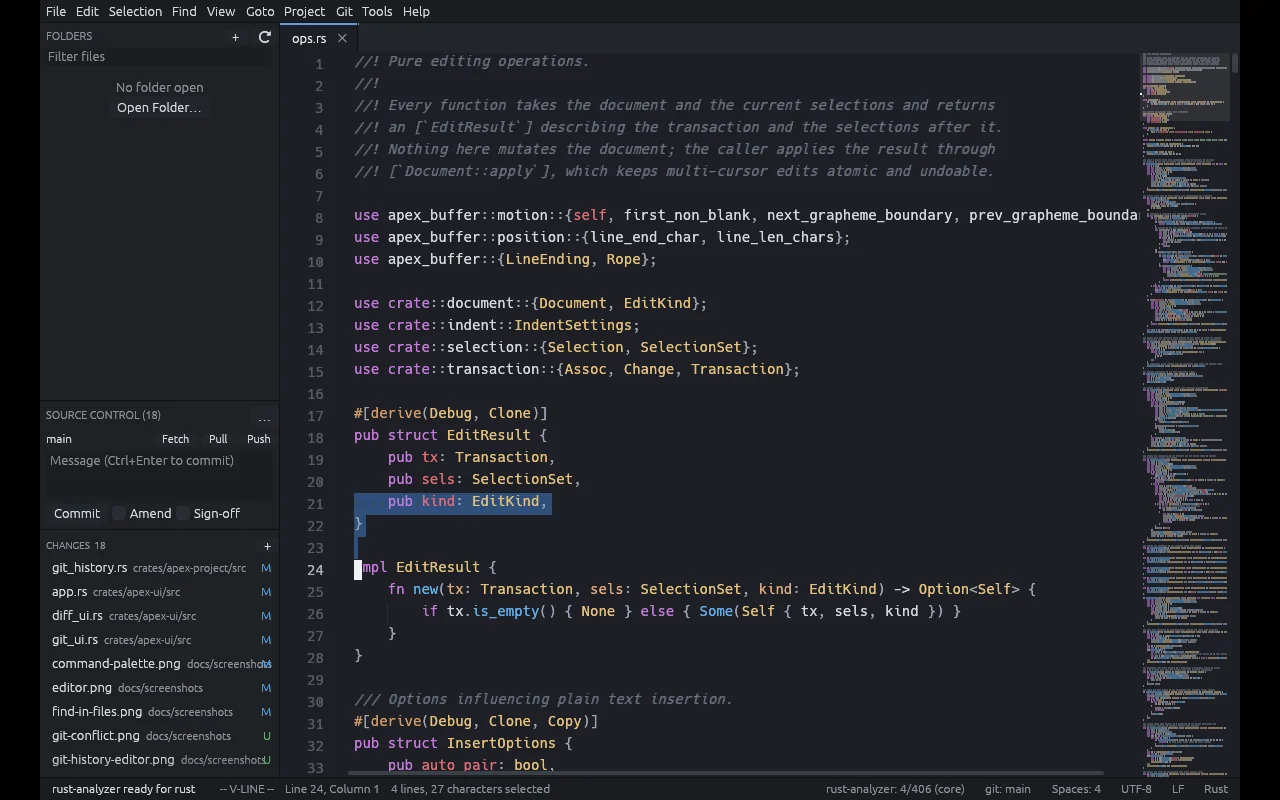
. and : commands. Built in, no plugin.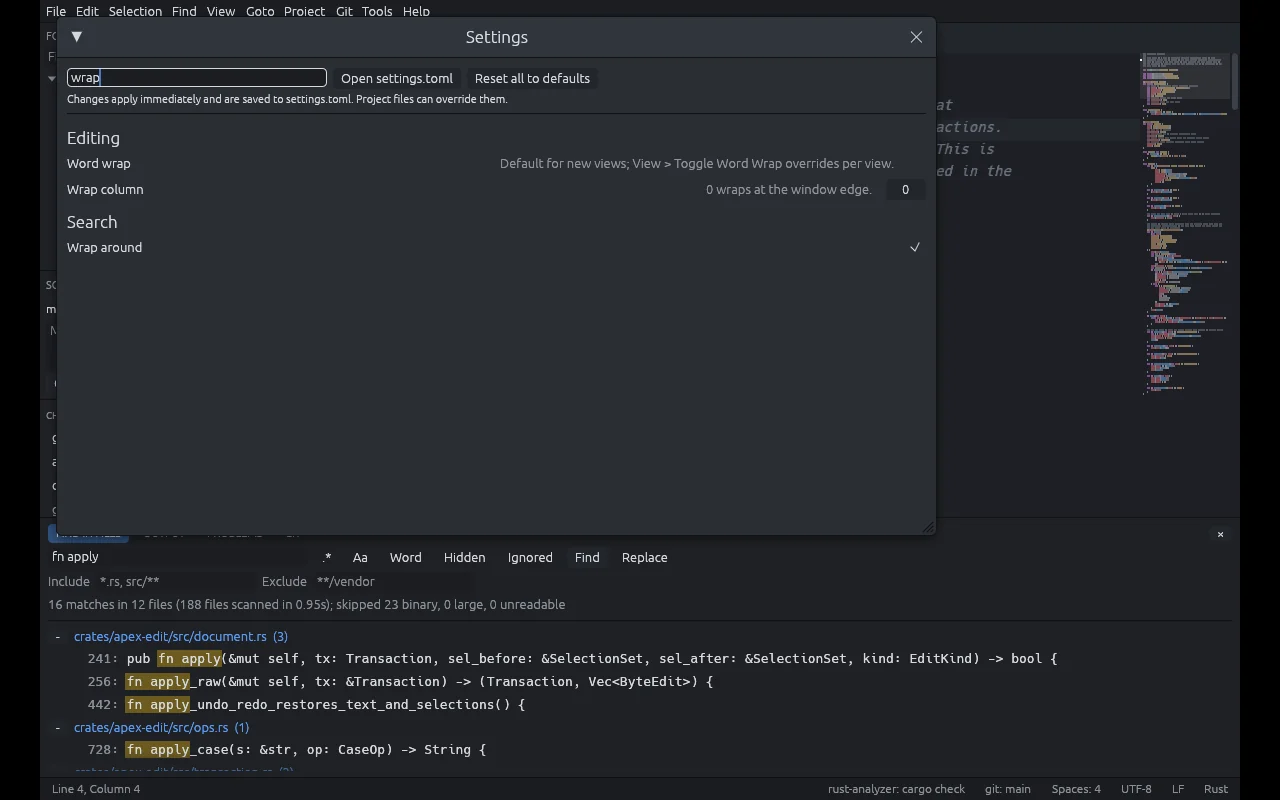
Everything in the box
Editing engine
A rope buffer with viewport-only layout. Unicode-correct carets that understand grapheme clusters, wide characters and tabs. Transactional edits with undo that coalesces like you'd expect. Auto-pairing, smart indentation, snippets with tab stops.
Syntax
Incremental tree-sitter highlighting for 30 languages, including injections (code fences in Markdown, script and style in HTML). Folding, symbols, bracket matching, indent guides and a minimap.
Search
Incremental find and replace with regex, whole word, case and in-selection modes. Project-wide Find and Replace in Files that respects your gitignore.
Navigation
Goto Anything, command palette, jump history, breadcrumbs and bookmarks. Get anywhere in three keystrokes, come back in one.
Workspace
A lazy project explorer that copes with enormous trees, a file watcher, tabs with drag, pin and preview, split panes, several views of one file, sessions and crash recovery.
Careful with your files
Encodings and line endings detected, converted and preserved. Atomic saves that refuse to flatten a file another program has just changed. A large-file mode and a hex preview.
Git, properly
Gutter marks, a Source Control panel, stage by file, hunk or line, commit and amend, diffs, blame, branches, log graph, stash, conflict resolution, fetch, pull and push, and GitHub pull requests through the GitHub CLI.
Build tasks
Run your builds with trust gating, problem matchers and a Problems panel. Ctrl+B and away you go.
Language servers
Optional, and only in folders you trust. Completion, diagnostics, hover, signature help, go to definition and references, rename, code actions and formatting.
Make it yours
Layered TOML settings, a key map with chords and per-platform sections, user themes, snippets, and spell checking with Hunspell dictionaries.
Focus modes
Distraction-free, zen, low-distraction and fullscreen, with typewriter scrolling. Very handy when your brain has seventeen tabs open already.
Command line
apex file.rs:120:8,apex ., a single instance with--new-window,--waitso it works as$EDITOR, and--diff old new.
Why build an editor in 2026?
Honestly? Because the tool you use for eight hours a day matters more than almost anything else on your machine. When it hesitates, even for a few hundred milliseconds, you lose the thread. And if your brain works like mine, losing the thread isn't a small cost: it's the difference between finishing the thing and suddenly reorganising your dotfiles.
Sublime Text understood that better than anyone. When we couldn't use it, the options were Electron editors that take a breath before every action, or full IDEs that want to be your whole operating system. Neither felt right. So Apex is deliberately a text editor, not an IDE: no plugin system yet, no scripting runtime yet, no telemetry, no account, and nothing that needs the network.
Engineering decisions
- Only lay out what's on screen. A rope buffer plus viewport-only layout means a million-line file costs about the same to scroll as a ten-line one.
- Transactions all the way down. Every edit, from one keystroke to a thousand-cursor paste, is a single reversible transaction, so undo always does the obvious thing.
- Never lose a byte. Saves are atomic and check that nobody else changed the file first. Sessions and unsaved buffers survive a crash.
- Trust before execution. Build tasks and language servers only run in folders you've marked as trusted, because rust-analyzer runs a project's build scripts and that's real code.
- Honest about status. A feature matrix marks every feature as verified, implemented or partial, with notes. Real benchmark numbers, with the machine they ran on.
Your fingers already know it
The defaults will feel familiar if you've ever used Sublime. Cmd instead of Ctrl on macOS, and every one of them can be rebound.
| Goto Anything / command palette | Ctrl+P Ctrl+Shift+P |
| Add the next occurrence / all occurrences | Ctrl+D Alt+F3 |
| Split selection into lines | Ctrl+Shift+L |
| Add a cursor above / below | Alt+Shift+↑ / ↓ |
| Find in Files | Ctrl+Shift+F |
| Go to symbol / project symbol | Ctrl+R Ctrl+Shift+R |
| Move line up / down | Ctrl+Shift+↑ / ↓ |
| Build | Ctrl+B |
| Go to definition / references | F12 Shift+F12 |
Install it
On a Mac or on Linux with Homebrew, it's one line:
brew install andydixon/tap/apexThat builds Apex from source with stable Rust, so the first install takes a few minutes, then puts apex on your path. On Linux it adds the desktop entry and icons too. brew upgrade picks up new releases. On a Mac you get the command rather than an app in Applications, so start it from a terminal with apex ., or grab the DMG build described below.
Debian, Ubuntu, Fedora, RHEL, openSUSE or Arch: install it from my signed package repository, repo.dixon.cx, and updates arrive with the rest of your system. On Debian or Ubuntu:
sudo install -d -m 0755 /etc/apt/keyrings
curl -fsSL https://repo.dixon.cx/dixon.gpg | sudo tee /etc/apt/keyrings/dixon.gpg >/dev/null
echo "deb [signed-by=/etc/apt/keyrings/dixon.gpg] https://repo.dixon.cx/apt stable main" |
    sudo tee /etc/apt/sources.list.d/dixon.list
sudo apt update && sudo apt install apex
On Fedora, RHEL, AlmaLinux or Rocky:
sudo curl -fsSL -o /etc/yum.repos.d/dixon.repo https://repo.dixon.cx/rpm/dixon.repo
sudo dnf install apex
openSUSE and Arch are one or two lines more, and they're on the repository page along with the key fingerprint and how to remove it all again. The packages are for 64-bit x86 and need glibc 2.35 or later, which covers Ubuntu 22.04, Debian 12 and anything newer.
Runs on
The packaging scripts in the repository build everything from source. Linux (X11 and Wayland) as a tarball, a .deb or an AppImage. Windows 10 and 11 with an installer that can add "Open with Apex" to Explorer, or as a portable zip. macOS as a DMG, with Apex in Finder's Open With menu for any file.
Apex is at version 0.2.1 and pre-release. It's our daily editor, but expect rough edges, and tell me when you find one.
Want to give it a spin?
Apex is open source under the AGPL-3.0. Grab the code, build it with stable Rust, and if it fills the same Sublime-shaped hole in your working day, star it, file issues, or send a pull request. Bug reports with steps to reproduce are my love language.
git clone https://github.com/andydixon/apex.git
cd apex && cargo build --release
./target/release/apex .
On Linux you'll need a C compiler and the usual windowing headers first; the README lists them for Debian, Ubuntu and Fedora.
Apex on GitHub Report a bug More projects