15. Practical baselines

The short version
- Pick a baseline you can actually keep up. Steps too complex to maintain drift out of use and leave false confidence.
- Start with accounts: password manager, app-based MFA or security keys, and a strong device PIN.
- Higher risk means more friction and clearer boundaries: separate devices, hardened recovery, hardware keys.
- Skip the high-effort theatre. Consistent basic hygiene beats daily VPN hopping and cookie obsession.
- Check in now and then. Your life changes, and so do the services you use.
Actionable starting points
No single privacy set-up fits everyone. A student sharing a flat in Leeds, a social worker travelling between clients, a journalist handling whistleblowers and a parent managing a family tablet all face different trade-offs.
Practical baselines mean choosing measures that suit your situation and that you can sustain. If your steps are too complex to keep up, they slowly drift out of use and leave you with a false sense of security.
Minimum viable privacy
Minimum viable privacy is the smallest set of actions that noticeably cuts everyday exposure without specialist skills. It is a baseline you can live with, not a maximalist position.
The aim is not invisibility. It is to reduce routine data leakage, lower the chance of account takeover, and stop casual tracking.
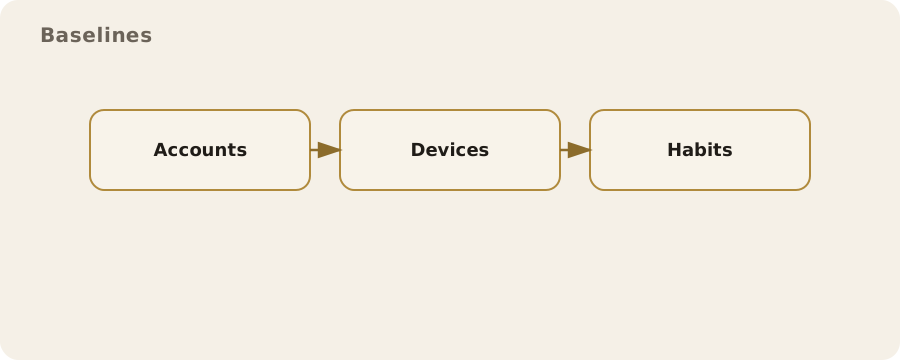
Accounts and devices first, because that is where most practical harm happens:
- Use a password manager so every account has a unique, long password.
- Set a strong device PIN. Many people in the UK unlock phones with biometrics, but a strong PIN still matters because biometrics are about convenience, not proof of consent. Six digits beats four; a long alphanumeric passcode is stronger still.
- Check full-disk encryption is on for your phone and laptop. Most modern devices do this automatically once a passcode is set, but it is worth checking in settings.
Turn on multi-factor authentication (MFA) for email and financial accounts. Prefer app-based codes or security keys over text messages. SMS codes can be intercepted in real cases through SIM swaps, and UK mobile providers have been targeted that way. SMS is not useless; treat it as the weakest option.
Cut background tracking where it is easy:
- on your phone, review app permissions and remove location access from apps that do not need it;
- in your browser, limit third-party cookies and consider a privacy-focused browser as your default, keeping a mainstream one for sites that break.
That is a pragmatic compromise. Cookie blocking reduces casual profiling, but some services, such as online banking or government portals, are less tolerant and may need a standard browser.
Use encrypted messaging for private conversations. End-to-end encryption means only the sender's and recipient's devices can read the content. It does not hide who you talk to or when; that often remains visible as metadata.
If your mainstream messaging app already uses end-to-end encryption by default, it may be enough. The key is using it consistently for the conversations that matter, not chasing obscure tools nobody around you will adopt.
Finally, reduce data sprawl.
- Close accounts you no longer use.
- When a site offers publish or keep private, choose the least exposure you can live with.
Boring work, real impact: fewer accounts means fewer points of failure when breaches happen, which they routinely do.
High-risk environment checklist
Some people need a stronger baseline. That does not mean assuming danger at all times. It means accepting that your role, identity or work brings specific risks, for example:
- a clinician handling sensitive records;
- a campaign organiser facing targeted harassment;
- a person fleeing domestic abuse;
- someone in a regulated industry with strict confidentiality duties.
For them, the baseline shifts from "reduce casual exposure" to "reduce targeted harm".
High-risk does not mean invulnerable. It means higher friction and clearer boundaries:
- Separate identities and devices where possible. If a phone is used for activist work, do not load it with personal accounts and social media. Keep contact lists and calendars segmented to limit cross-contamination.
- Harden account recovery. Use email addresses that are not publicly known for critical accounts, and avoid recovery methods that rely on easily guessed personal details. In the UK, automated credit checks and public records make some details surprisingly easy to find.
- Use hardware security keys for key accounts. They protect against phishing more reliably than codes, because the key verifies the website it is talking to.
- Consider threat modelling for communication. A journalist might use a dedicated encrypted channel for source contact and a separate phone for general work. The goal is not secrecy for its own sake but preventing accidental disclosure.
- Plan for device loss or seizure. Use full-disk encryption, keep regular backups, and know how to lock or erase a device remotely.
- Physical privacy matters. A sensitive conversation in a shared flat or on public transport is often the most realistic exposure, not advanced hacking.
Myth: high-risk privacy is all about software. Reality: it is often about routines.
- Rely on a second SIM for a sensitive project but carry both phones together, and the separation you thought you had is limited.
- If your workplace requires a managed device, assume activity on it is logged by design. That is not a breach; it is how corporate compliance works.
Prioritisation
Most people run out of time before they run out of settings. Prioritise what actually changes your risk, in layers:
- Account access first, because it is the fastest route to harm. Whoever controls your email can reset most of your other accounts, which is why a password manager and strong MFA pay off so heavily.
- Device security next. An unlocked phone or unencrypted laptop is more likely to be compromised through loss or theft than by a sophisticated attack.
- Then communications. Move sensitive conversations to end-to-end encrypted channels and limit where copies live.
- Finally, wider online exposure: social media profiles, data broker listings, old public posts.
On communications: a family dealing with a sensitive medical issue may be better off keeping documents in one encrypted storage location rather than scattered across email threads, shared drives and photo galleries.
Wider exposure work is slower, with benefits that are real but less immediate. It becomes more worthwhile if you have specific reasons to limit visibility, such as a public-facing role or a history of harassment.
Watch for diminishing returns. Past a certain point, effort on tiny risks leaves bigger ones untouched. If you still share passwords between services, an obscure privacy plug-in is not the best use of your afternoon.
What not to bother with
Some measures add complexity without proportionate benefit. Knowing what to skip is part of practical privacy.
- Constantly rotating devices and accounts. It gets hard to track what is active and what is safe, and a forgotten account can become the weak link.
- Piling on privacy tools. They can conflict or break websites, and people end up disabling protections just when they need them.
Myth: private browsing mode makes you anonymous. Reality: it only stops your local browser keeping a history. Your internet provider, employer network or the sites you visit can still see what you do. Useful for local privacy, like a shared computer, but not a cloak.
Some people obsess over deleting every cookie, changing their browser fingerprint and rotating VPN endpoints daily. These can help in specific circumstances, but they are high-effort and often fragile. For most people, consistent basic hygiene does more: unique passwords, strong MFA and careful app permissions.
And do not treat privacy as a contest. If a measure makes your life harder without a clear gain, it is probably not worth it. That is not complacency; time and attention are limited resources.
Periodic reassessment
Your privacy practices should move because your life moves. A new job, a new relationship, a house move or a change in health can all change what makes sense. So can the services you use: a once low-risk platform might start new data sharing, or an app might be bought by a company with different incentives.
Set a light routine for checking in. Many people tie it to a password review or a phone contract renewal. A simple order:
- most important accounts first: email, banking and any work systems;
- check MFA settings, recovery options and device security;
- review app permissions on your phone;
- close accounts you no longer use.
Reassessment also means knowing what to leave alone. If a setting has no measurable effect in your context, ignore it. The point is a baseline that stays real rather than aspirational. Consistent small actions beat rare bursts of drastic changes you cannot maintain.
Do this now
- Switch your email and banking MFA from SMS to an authenticator app or security key where offered.
- Remove location access from any phone app that does not need it.
- If your phone unlocks with a four-digit PIN, change it to six digits or a longer passcode.
- Put a recurring reminder in your calendar (say, when your phone contract renews) to rerun this checklist.