8. Compartmentalisation and identity separation

The short version
- Compartmentalisation limits blast radius. One exposed identity should not reveal your whole life.
- Small overlaps link identities: a shared recovery number, a reused username, one device signed into everything.
- Devices are the strongest boundary, accounts the most common, networks a useful extra layer.
- Information flows one way: sensitive to less sensitive, and only when it cannot identify you.
- Aim for "good enough and repeatable", not perfect separation you will abandon by Friday.
Limiting damage by design
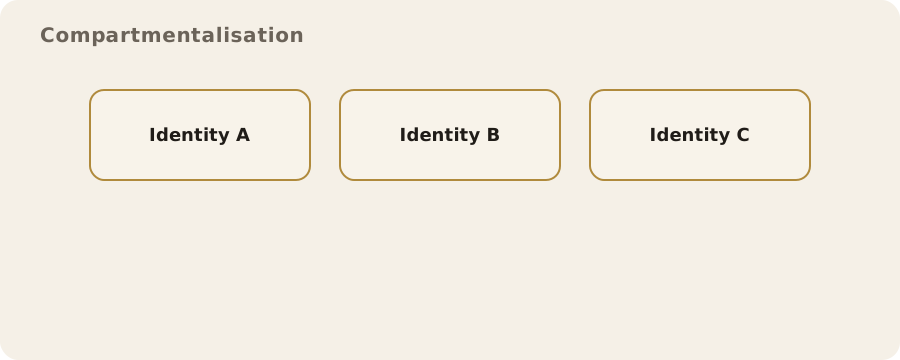
Compartmentalisation means keeping parts of your digital life apart, so a mistake, leak or compromise in one area does not automatically spill into the others.
It is not about a perfect, sealed-off existence. It is about limiting blast radius: if one identity is exposed, it should not reveal your whole life or endanger the people connected to you.
Identity separation is how you do it in practice. It can be as simple as separate email addresses for banking and social media, or as rigorous as distinct devices, accounts and networks for different activities. The right level depends on you: someone running a community archive, a journalist talking to sources and a parent managing a household will all make different trade-offs.
Multiple identities safely
You probably already have several identities without calling them that: work, personal, maybe a hobby, each with different expectations. The risk comes when they can be easily linked by shared details:
- a recovery phone number;
- a reused username;
- a single device that signs into everything.
Start with clarity. Decide what each identity is for, and what it should not touch. For example, a community organiser might have a public identity for promoting events and a private one for coordinating volunteers. The public one should not share a recovery email that points to their real name, and should avoid contact lists that could expose relationships.
Myth: a different username is enough. Reality: linkability comes from small overlaps: a photo with embedded location data, the same writing style, a payment method that reveals a billing address. None of this is mysterious or rare. These are routine data points services collect by default.
So safe separation uses distinct contact points: separate email addresses, phone numbers and payment methods. The catch is management. People lose access to accounts when they forget which identity is tied to which number. The fix is simple and unglamorous: keep a secure, offline record of what belongs to which identity, and review it now and then.
Devices, accounts, and networks
Separation can happen at three layers, each with its own costs and benefits.
Devices are the strongest boundary. A separate laptop or phone for a sensitive identity cuts cross-contamination from cookies, saved logins and background apps. It also limits malware: if one device is compromised, the other may be fine. Downsides: cost, inconvenience and human error. People often defeat the whole point by signing into personal email "just this once" to grab a file.
Accounts are the most common boundary. Separate user profiles on one device, or separate browser profiles, keep cookies and login states apart. Often enough for everyday use, but easier to slip up: notifications from the wrong account and autofill inserting the wrong details are the typical failures.
Networks add separation around where and how you connect. Different networks for different identities can reduce correlation by IP address or network metadata, for example mobile data for one context and home Wi-Fi for another. Not a magic shield: mobile networks still know who you are, and public Wi-Fi has its own risks. Works best combined with the other layers.
For most people the winning combination is separate accounts for routine separation, plus a dedicated device or user profile for the few activities that deserve extra protection. Keep each boundary as simple as possible so you can actually stick to it.
One-way information flow
Information should flow from a more sensitive context to a less sensitive one only when you are certain it will not identify you. It is a habit that prevents accidental linking. You might use a public-facing identity to read community updates, but you would never use it to log into your personal cloud storage or message a relative.
That means deliberate choices about where files, contacts and browsing history go:
- a journalist reads public documents on a work laptop, but moves sensitive notes to a separate device that never touches personal accounts;
- a volunteer coordinator copies public messages into a private notes system, but never copies private contact lists into the public account.
The classic mistake: "just quickly moving a file" between contexts, often by email or a messaging app. That creates hidden links: the sending account, timestamps and server logs all join the trail. Safer options:
- removable storage for strictly controlled transfers;
- re-creating the information by hand in the destination context.
Slower, yes, but it breaks the automatic linking that services create by default.
Clean versus contaminated contexts
"Clean" and "contaminated" sound dramatic, but the terms are useful.
- Clean: never connected to your main identity, carrying no identifying data.
- Contaminated: already linked, through logins, contacts or device identifiers.
Contamination is often invisible. A browser profile used for personal email can leak into other accounts through saved autofill data, cached logins, or an extension that syncs data across profiles. A phone that has ever held your personal SIM carries identifiers that can be tied to you, even if you repurpose it later.
Start by being honest about what is already linked. If a device has been used for personal accounts, treat it as contaminated and decide whether that is acceptable for the identity you want to use on it. If not, use a separate or fully reset device, and resist signing into familiar accounts.
Clean contexts are fragile. One accidental login can ruin them, and it is easy to mix them up when you are tired or rushing. Low-tech safeguards work well because they stop mistakes before they happen:
- physical cues, such as a different case or a sticker on a device;
- clearly named browser profiles;
- a written map of which device or account is for what.
Abandoning identities
Sometimes the safest move is to stop using an identity: it has been compromised, a service has changed its policies, or you just do not need it any more. It is not as simple as "delete the account". Data can persist, and the identity can stay linkable through old posts, cached pages or people who interacted with it.
First decision: wind down gradually or shut down fast?
- Gradual: post a final update and move contacts to a new channel.
- Rapid: may be safer if the identity is at risk, but a sudden shutdown can draw attention.
Context matters. Sometimes a quiet tapering off is the least conspicuous option.
Either way carries risk. Deleting accounts can remove your control over the content; leaving them active lets others misuse them if you lose access.
- Keeping it dormant? Change the password, remove recovery options you no longer control, and store the credentials securely.
- Deleting? Download any records you might need first, and accept that deletion is not guaranteed to erase every trace.
In the UK, people often assume the "right to erasure" under data protection rules will wipe everything. It can help in some cases, but it is not absolute, and it does not reach third-party copies or public archives. Treat erasure as a tool, not a guarantee.
Everyday scenarios and trade-offs
The teacher. A teacher runs a local climate group, posting events from a personal phone and a public social media account. A parent from the school links the account to the teacher's personal profile, because the same phone number was used for account recovery. No sophisticated attacker, just routine cross-linking. The fix could be as simple as a separate recovery email and turning off contact discovery on the public account.
The small business owner. Customer messages and personal banking live on the same laptop. Malware from a compromised website can read stored browser cookies, giving access to both. Separate browser profiles reduce the impact, but a separate device for banking would be safer if the owner can justify the cost. Time and money versus reduced exposure.
These choices are never perfect. Compartmentalisation lowers risk but adds friction, and friction creates its own hazards: missed messages, forgotten passwords, and the temptation to merge contexts "just for convenience". The realistic goal is not absolute separation, but a pattern that is clear, repeatable and good enough for your circumstances.
Do this now
- List your main identities (work, personal, any public or hobby ones) and the email and phone number each uses for recovery.
- Spot one place where two identities share a recovery number or email, and change one of them.
- Create a separate, clearly named browser profile for one identity you want kept apart.