3. Encryption and data at rest
The short version
- Most of your data is sitting still, on laptops, phones, drives, cloud accounts and forgotten backups. That is "data at rest".
- Full-disk encryption is the baseline. It turns a lost laptop from a breach into a nuisance, but only while the device is off or locked.
- "Encrypted in the cloud" usually means the provider holds the keys. Encrypt the sensitive stuff yourself before upload.
- Backups are the classic leak. Encrypt them separately, and store the recovery details safely.
- Encryption has limits: unlocked devices, compelled passwords and chatty apps all get round it.
Protecting what already exists
Much of the information worth protecting is not travelling anywhere. It sits on laptops, phones, external drives, office servers, home NAS boxes, cloud storage accounts, and backups made years ago and quietly forgotten.
That is "data at rest": anything stored rather than actively being sent across a network. Encryption at rest will not stop someone watching a message in transit, but it can stop them reading files once they get hold of the storage.
Encryption turns readable data into ciphertext using a key. Without the key, the ciphertext should be practically unreadable. Note the word practically: strong encryption makes decryption infeasible without the key, not impossible in a theoretical sense. For most people and organisations, that practical barrier is the difference between a lost laptop being a mild nuisance and a major breach.
What "at rest" really covers
Data at rest is broader than most people assume. Beyond the obvious documents on a laptop, it includes:
- phone photos, browser downloads and email archives;
- cached files, passwords saved in apps and local copies of cloud documents;
- metadata that can be as revealing as content: file names, modification dates, folder structures;
- backups: the external drive in the desk, the USB stick kept "just in case", the old phone in a drawer, the cloud backup you set up one busy afternoon and never looked at again.
So protecting data at rest is as much about the boring, static stuff as the sensitive documents. A contact list, a calendar of appointments, a folder of PDF invoices or a photo library can be more personal than a single secret file.
Full-disk encryption: the blunt but effective tool
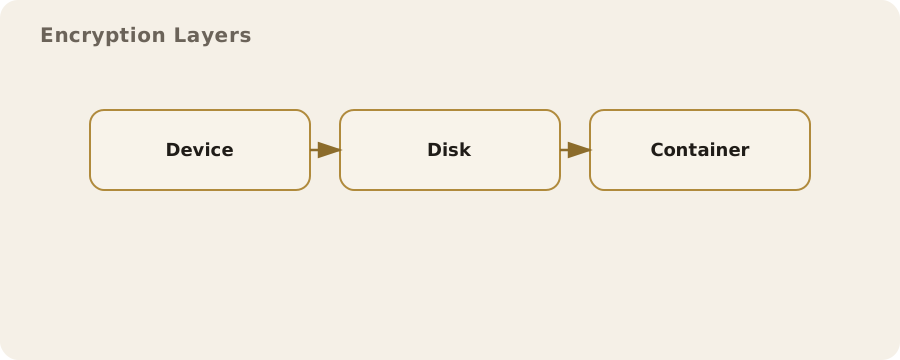
Full-disk encryption (FDE) encrypts an entire storage device: operating system, applications and all files. It is standard on most modern phones and widely available on computers. Its appeal is simplicity: when the device is powered off, the contents are protected by a key derived from your passcode or password.
Quick comparison, for a laptop left on a train:
- With FDE and a strong login password: the finder cannot read the files without that password.
- Without FDE: the same laptop can often be opened in minutes by booting from a USB drive and copying the data.
The main limitation: FDE protects data only when the device is off or locked. Once unlocked, the data is available to anyone who can use the machine. That is not so much a flaw as how computers work. So habits still matter:
- lock the screen when you step away;
- turn on automatic locking;
- do not leave a device logged in where others can get at it.
File and folder encryption: precision and flexibility
File- and folder-level encryption protects specific files, often with a separate password or key. Handy when you share a device, or want one set of documents kept apart from everything else. For example, a freelance researcher might keep client records in an encrypted folder and everything else stored normally.
The trade-off is complexity. You have to remember to put new files in the protected area, and manage extra passwords or keys. People overestimate how tidy they will be in daily work. The familiar failure: one sensitive file saved to the desktop by mistake, or a temporary copy landing in an unencrypted folder.
The calm, practical fix is to combine approaches: FDE for broad protection, plus file-level encryption only where it genuinely adds value, such as a shared family computer or a device used for a mix of personal and professional work.
Phones and tablets: convenience with sharp edges
Most modern phones use hardware-backed encryption by default. The keys live in secure hardware and are released only when the device is unlocked. Good for ordinary protection, but the details matter:
- Short PINs are easier to guess than longer ones.
- Biometric unlock (fingerprint or face) is convenient, but it can be compelled in some circumstances and sometimes fails in ways that are not obvious to you.
In the UK, law enforcement can require you to disclose encryption keys or passwords in certain situations. Not a common everyday event, but real. It affects how you might secure a device if you are at higher risk of legal pressure, and it reinforces the value of storing less in the first place.
A realistic example: one phone for personal life and political organising is convenient, but it is a single point of risk. Separate roles (one device for personal use, another for sensitive work) mean less data exposed if one is seized or lost. The downside is inconvenience and cost, which is a perfectly reasonable reason to choose differently. Trade-offs are legitimate, not failures.
Cloud storage: encryption depends on who holds the keys
Providers love to advertise "encryption at rest". Usually that means they encrypt the data on their servers, and they also hold the keys.
- It does protect against opportunistic theft and some internal mistakes.
- It does not stop the provider accessing your files, or disclosing them under legal request.
Still useful, just not the same as encryption where only you hold the keys.
Encrypt files before upload, with a tool you control, and the provider only ever sees ciphertext. This is sometimes called client-side or zero-knowledge encryption. It limits provider access and reduces exposure in a breach, but you become responsible for key management and recovery. Lose the key and the data is effectively gone.
A practical pattern: ordinary documents in standard cloud storage, particularly sensitive material encrypted before upload. Day-to-day work stays smooth, and the most revealing files get stronger protection.
Backups: the most forgotten risk
Backups are essential for resilience and a common way data leaks. A laptop can be fully encrypted while an unencrypted backup sits on an external drive or in a cloud account. In real breaches, attackers often go for backups because they are easier to reach and hold a complete historical record.
Encrypt backups separately, even if the source device is encrypted.
- Many backup tools can encrypt archives with a password.
- For manual copies, store the backup inside an encrypted container or on a dedicated encrypted drive.
The remaining risk is key loss: forget the password or lose the recovery key and the backup is useless. Deal with that by storing the recovery information securely, not by weakening the password.
Keys, passwords, and recovery: the human factor
Encryption is only as good as the key management. A long, unique passphrase resists guessing and automated attacks, but it is harder to remember. Writing it down is often sensible if stored safely: a sealed envelope somewhere secure can be a better risk than a reused, guessable password.
Myth: encryption makes data "safe forever". Reality: if the key is exposed (through phishing, malware or a weak password), encryption adds little. That is why everyday practice matters:
- keep devices patched;
- avoid installing unknown software;
- use multi-factor authentication where possible;
- treat password resets and recovery links with care.
Common myths and misunderstandings
Myth: encrypting a file makes it invisible. Reality: encrypted files are still there. Their names and sizes may still be visible, and their existence can be observed.
Myth: deleting a file removes it permanently. Reality: on most systems, deletion only removes the reference to the file; the underlying data stays until it is overwritten. Encryption at rest helps here, because a deleted file lingering in unallocated space is still encrypted.
Myth: encryption is only for people with something to hide. Reality: it is ordinary self-protection, like locking a door. It guards against accidents, theft and routine exposure as much as deliberate snooping.
In a digitally monitored world, the line between sensitive and mundane moves with context. A shopping history, a contact list or a set of location-tagged photos can become sensitive when combined or interpreted by others.
Limits you cannot encrypt away
Some risks encryption simply does not solve:
- someone gets to a device while it is unlocked: no barrier at all;
- you are compelled to disclose a password: the protection disappears;
- an app uploads data in the clear or shares it with a third party: encryption at rest on your device does not prevent that.
These are limits of the system, not mistakes you made.
The practical response is layered: encryption at rest as the baseline, devices kept locked, an understanding of what your apps do with your data, and storing less when the risk is not worth the convenience. These trade-offs shift with work, family, travel and legal context, so treat them as ongoing decisions, not one-off settings.
Do this now
- Check full-disk encryption is on for your laptop (BitLocker, FileVault or your Linux setup) and that your phone has a proper passcode.
- Find your most recent backup and confirm whether it is encrypted.
- Set your screen to lock automatically after a few minutes.