2. Identity, authentication and access control

The short version
- Identity is a claim, not a fact. Systems check evidence that stands in for you; they do not actually know you.
- Authentication proves the claim; access control decides what you can then do. They are different jobs.
- Every method has weak spots: passwords get reused, SMS codes get hijacked, biometrics cannot be changed, sessions get stolen.
- Put your effort where the stakes are: email, banking and cloud storage first.
Every time a system lets you in, it is making choices about identity, proof and permission. Unlocking a phone, logging into email, paying online, entering a workplace, opening a medical record: each step has its own assumptions about who you are, what evidence counts and what you are allowed to do.
Identity is a claim, not a fact
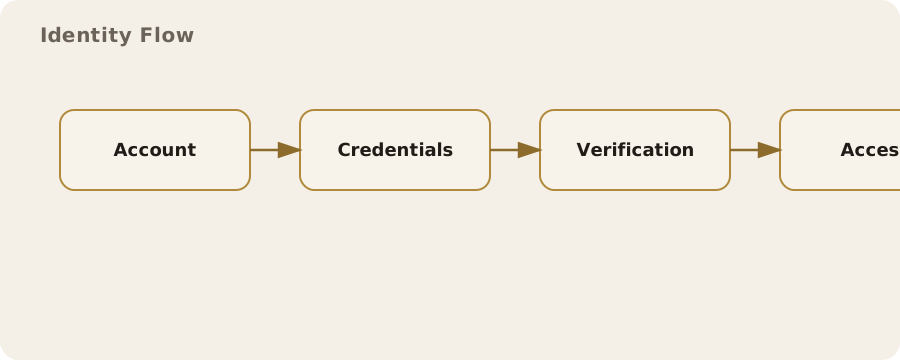
Online, identity is not true or false the way your date of birth is. It is a claim you make, and the system decides whether to accept it.
- Type an email and password: you are claiming to be the account holder.
- Scan a badge at work: you are claiming to be the person that badge belongs to.
The system does not know you. It checks evidence that usually stands in for you.
People assume a digital identity maps neatly onto one real person. In practice the link is loose. One person can have several accounts on the same service; one account can be shared by several people.
In the UK, a library card or an NHS login is tied to a real individual, while a gaming account or forum handle is usually a pseudonym. That matters, because different systems need different levels of proof.
Authentication: proving the claim
Authentication is proving that an identity claim should be accepted. It relies on one or more kinds of evidence:
- Something you know: a password or PIN.
- Something you have: a security key, a phone receiving a code, a swipe card.
- Something you are: biometrics such as fingerprints or face scans.
Everyday life mixes them:
- Contactless payment needs only the card (something you have) up to a limit; a bigger purchase wants the PIN (something you know).
- Your phone unlocks with a fingerprint, but after a restart it wants the passcode.
This is not about catching you out. It is managing risk by asking for stronger evidence when the stakes are higher.
Passwords and their limits
Passwords are still the backbone of most systems: cheap, familiar and fragile. People reuse them, write them down or pick guessable ones. Attackers automate guessing at scale or work through lists of breached passwords.
Myth: a long, complex password is always safer. Reality: length helps, but uniqueness matters just as much. A long password reused across sites is still a single point of failure.
The fix for individuals is practical rather than heroic:
- use a password manager to generate and store unique passwords;
- turn on an extra factor wherever you can.
Organisations can reduce harm with rate limits, lockouts that do not reveal whether a user exists, and login monitoring. None of this stops every compromise, but it lowers both the odds and the impact.
Two-factor and multi-factor checks
Asking for two forms of evidence is multi-factor authentication (MFA). Classic example: your bank password, then approving a prompt in the app. Done well, it works because an attacker has to compromise two different channels.
Not all MFA is equal:
- Text-message codes can be intercepted through SIM-swap fraud, or redirected by an attacker who talks a mobile provider into moving your number.
- App prompts are stronger, but suffer from push fatigue: people tap approve without checking.
- Physical security keys are typically the most robust. They tie login to a specific device and resist phishing by checking the website address.
The trade-off is convenience and cost; not everyone will carry a key every day.
Biometrics: useful but not magic
Biometrics get pitched as a password replacement. In practice they are a convenience layer on top. Your fingerprint does not travel across the network; it unlocks the local device, which then uses its stored credentials.
That makes them great for quick access with a long passcode sitting in the background. They have limits too: a face scan may fail with a mask on, and a fingerprint may not read after a day of manual work.
The bigger risk is not being fooled, it is that you cannot change them. You can replace a password; you cannot replace your face.
- Good systems keep biometric data in a secure enclave on the device and never send it to a remote server.
- Remote use, such as some identity verification apps, raises the risk of leakage.
You cannot remove that risk entirely. You can only decide whether the convenience is worth it for that particular service.
Access control: deciding what you can do
Authentication asks "who are you?" Access control asks "what are you allowed to do?" This is where permissions, roles and policies live.
- A streaming service lets you watch, but only the account owner can change billing.
- At work, an employee can open shared files, but only a manager can approve expenses.
These rules are usually invisible, but they define the real boundary of power in a system.
Access control can be coarse or fine-grained. Many consumer apps use one account, one set of permissions. Corporate systems go further: a hospital nurse may view a patient record but not edit the diagnosis, while a consultant may edit the diagnosis but not export large datasets.
Fine-grained control limits the damage from one compromised account, but it is harder to manage and easier to get wrong.
Least privilege and its practical limits
Least privilege means everyone gets the minimum access their job needs. Sensible in theory, hard in practice.
Teams change, projects end, people move roles, and permissions pile up. The result is "permission creep": accounts keeping old access long after it is needed. It is common in large organisations, including UK public sector bodies, because separate systems rarely share one source of truth for roles.
Fixes need both policy and tooling:
- regular access reviews to strip stale permissions;
- just-in-time access that grants elevated rights for a limited window.
Both cost time and add friction, so they tend to be kept for high-risk systems. The trade-off is operational convenience against the blast radius of a compromised account.
Identity proofing: linking the digital to the real
Sometimes a system needs to tie an account to a verified real-world person. That is identity proofing. UK examples: opening a bank account, using certain government services, a right-to-work check.
The evidence might be a passport scan, a live video selfie, a credit reference check, or a mix.
Myth: these checks are foolproof. Reality: fake documents exist and automated checks can be tricked. Meanwhile genuine users get wrongly rejected, especially with less conventional documents or a changed appearance.
So the risk runs both ways: fraud and exclusion. Layered checks cut fraud but can lock out genuine people. Human review helps but does not scale well.
Session management and the quiet mechanics of access
After you log in, you usually get a session: a cookie in your browser or a token in an app. You never see it, and it is where many real-world failures happen.
Steal the session and you can act as the user without knowing their password. Routes in include:
- phishing;
- malware;
- stolen devices;
- a public computer left logged in.
Services defend with short session lifetimes for sensitive actions, device recognition, and re-authentication for changes such as adding a new payment method. You can help by:
- logging out of shared devices;
- using browser profiles;
- turning on device lock screens.
Some risk remains. Convenience depends on sessions persisting, and that persistence is exactly what makes them valuable to attackers.
Single sign-on and its ripple effects
Single sign-on (SSO) lets one identity unlock many services. At work it cuts password fatigue and simplifies user management; for you it means fewer logins.
The downside: that one identity becomes a single point of failure. A compromised SSO account can open several systems at once, sometimes including payroll, customer data and internal messaging.
SSO also creates visibility. The identity provider can see when you sign in and often which service you are using.
- At work, that visibility is part of governance.
- In personal use, such as "Sign in with Google", it is a trade-off between convenience and data sharing.
Reduce the risk by limiting how many services hang off one provider, and by locking that provider account down with MFA.
Everyday friction and real-world compromises
Not every system needs maximum security. A local news site can get away with a simple email reset because little is at stake; a bank insists on stronger checks because a lot is. That is why logins feel inconsistent: security is about what is sensible to demand in context, not just what is possible.
Myth: more security always means more safety. Reality: too much friction breeds risky workarounds, such as shared passwords, unsecured notes, or people switching protective features off.
Good design matches protection to risk. You can do the same: focus your effort on high-value accounts such as email, banking and cloud storage.
Myths and misunderstandings
Myth: "My password is strong, so my account is safe." A strong password helps, but it does nothing against phishing, malware or reuse across services. Security is a chain, and the weakest link may not be the password at all.
Myth: "Biometrics are infallible." They are good at quick local checks, but they can fail or be spoofed, and you cannot reverse them if compromised. Treat them as a convenience, not an absolute guarantee.
Myth: "Two-factor means unhackable." MFA reduces risk; it does not remove it. Social engineering, device theft or a poorly built system can still lead to account takeover.
Practical choices in a monitored world
Authentication and access control decide how much of your digital life hangs off a single identity. At work or in healthcare you may have little choice. Elsewhere you can decide how much linking you accept.
Pragmatic steps:
- use separate email addresses for different roles;
- skip unnecessary "sign in with" options;
- protect your most important accounts with strong MFA.
None of this makes you invisible, but it gives you more control over how access is granted and what can be inferred from it.
In the UK, the balance between security and convenience is usually set by organisations, not individuals. Slow verification and repeated checks are frustrating, but they also reflect legal and regulatory duties on services to protect data and prevent fraud.
Knowing how identity claims are tested and permissions enforced helps you tell when a system is being reasonable and when it is just badly designed.
Do this now
- Check your main email account has MFA switched on, ideally an app or security key rather than SMS.
- Look at which sites you log into with "Sign in with Google" (or Apple, or Facebook) and drop any you do not need.
- Log out of any shared or public device you are still signed in on.