2.4 Hardware security keys
The short version
- A hardware key will not sign in to a fake site. It checks the real domain, so phishing pages get nothing, even if they grab your password.
- It beats SMS, email codes and authenticator apps because there is no code to type into the wrong place.
- Buy two, register both. Losing one key should be an inconvenience, not a lockout.
- It is not a magic shield. Malware on your device and bad approvals inside a real site are still your problem.
Physical proof of presence
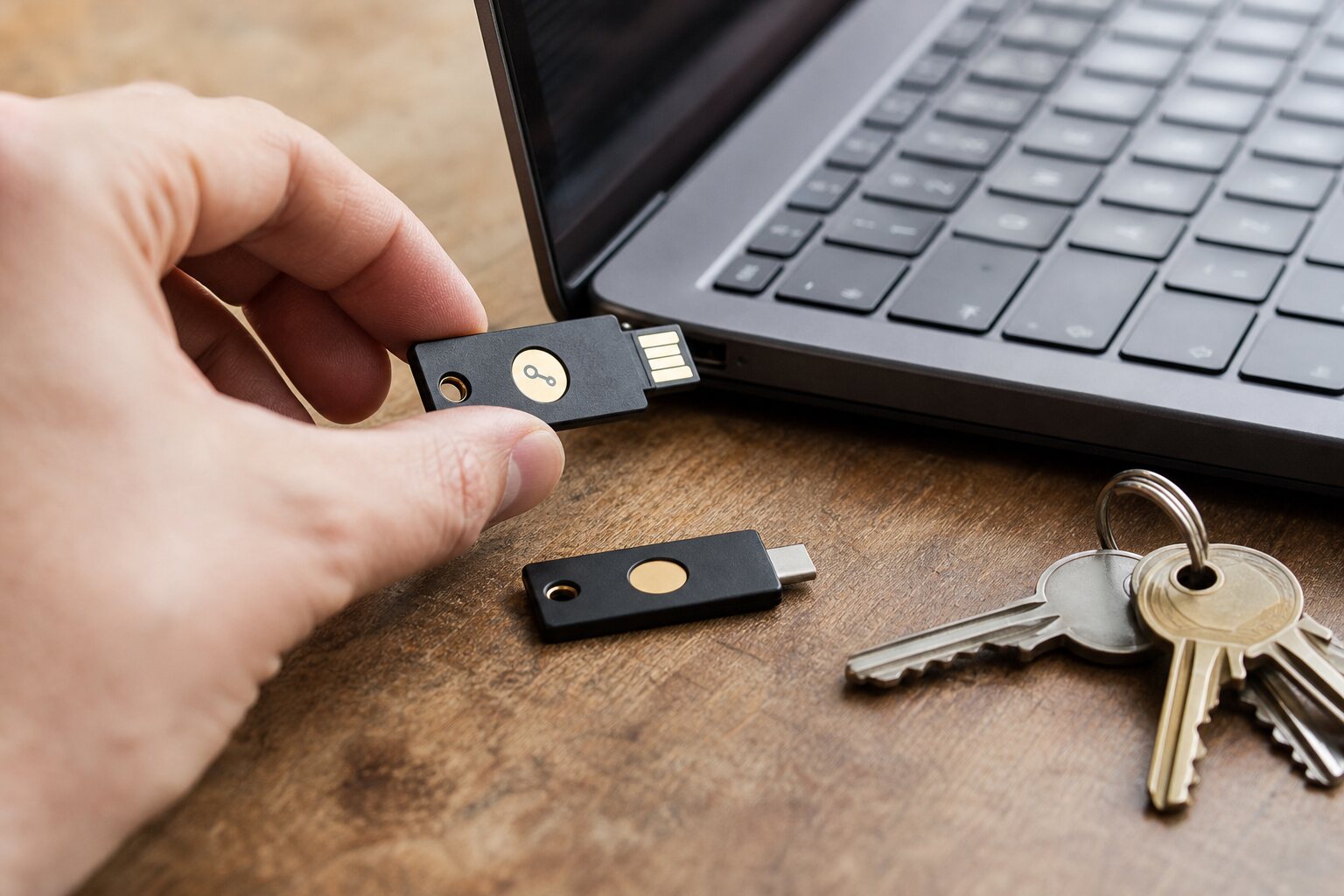
Hardware security keys are small physical devices that prove a real person is present at sign-in. They are usually USB or NFC, sometimes with a simple button or touch pad.
The key only does its cryptographic step when it detects a deliberate touch. So a remote attacker cannot finish the login without physically holding the key and touching it.
In practice, it is a second factor that cannot be copied or forwarded the way a code can. If your email provider supports it, register a key once and tap it whenever you sign in. Quick and quiet, but a deliberate act: you are there, you have the key, and you chose to use it.
How hardware keys work
Modern keys usually follow standards such as FIDO2 and WebAuthn. Here is the flow:
- Registering: the key creates a unique cryptographic pair for that site. The private key never leaves the device; the public key is stored by the service.
- Signing in: the service sends a challenge. After your touch, the key signs it with the private key.
- Checking: the service verifies the signature with the public key on record.
Myth: a hardware key holds one universal secret. Reality: every site gets its own key pair, so one site cannot use a key registered elsewhere to impersonate you. Each registration is separate, which limits the damage if one service is compromised.
Most keys can also work with older systems that expect a one-time code, but the stronger protection comes from challenge-response, not codes. The difference matters: a one-time code is still a number you can type into a fake website. A cryptographic challenge is bound to the exact website you are actually on.
Phishing resistance in the real world
The headline benefit is phishing resistance. Land on a convincing fake banking login and the key will not sign a challenge for it, because the domain does not match the one you registered.
You can still be fooled into typing your password. But the sign-in cannot complete without the correct domain, and the key refuses to help.
A familiar scenario: a text says your work email is locked and you must "confirm your account". You click, and a fake login page appears.
- With a code-based second factor: the attacker captures your password and the code you type, and uses both immediately.
- With a hardware key: the fake site cannot finish the login, even with your password.
It does not stop every kind of account abuse, but it shuts one of the most common entry routes.
Advantages over software MFA
Software-based multi-factor authentication (MFA) can be effective, but each type has a weakness hardware keys avoid:
- SMS can be intercepted or redirected through SIM swap scams.
- Email codes depend on your inbox, which may be the very account you are trying to protect.
- Authenticator apps are better, but the codes can still be phished, because they are designed to be typed into any site that asks.
A hardware key is not tied to your phone number or a mobile network, nor to a handset that can be lost, stolen or silently infected.
The catch: it is a physical object you must carry and keep safe. Stronger security, with convenience that depends on how well it fits your routine.
A subtler advantage is account recovery. Many high-risk takeovers hijack the recovery process rather than the login. Some services let a key guard recovery or high-risk changes too. Where that is available, it blocks a whole class of "forgotten password" abuse.
From second factor to passwordless
So far the key has been a second factor on top of a password. The same standards (FIDO2 and WebAuthn) let it do more: store a full passkey, so the key becomes the entire login. This is also called a resident or discoverable credential.
It is the same passkey technology covered in 2.2 and 2.3, just held on a physical device you carry rather than synced through software. Where a site supports it, you sign in by inserting the key and touching it, with no password to type or remember.
That changes what the key protects against:
- As a second factor, it backstops a password that might still be weak or reused.
- As a passkey store, it removes the password entirely: no shared secret to phish, leak or guess.
The trade-offs are capacity and recovery. Keys hold only a limited number of resident passkeys, and a passkey that lives only on one key is lost with that key. That makes the backup discipline in the next section essential, not optional.
For the accounts that matter most, a hardware key used as a passkey store is among the strongest practical protections an individual can deploy: phishing resistance plus no password as a weak point.
Getting started is unglamorous but reliable:
- Buy two compatible keys, not one.
- Register both on your important accounts at the same time.
- Keep the spare somewhere safe and separate, so losing one is an inconvenience rather than a lockout.
Offered a choice between second factor and passwordless? Either is strong. Passwordless is the more future-proof option, and it is steadily becoming the default direction for account security.
Backup keys and loss planning
A physical key can be lost, forgotten or broken. That is the most obvious failure mode, with a simple fix: register at least one backup key and store it safely.
- Primary key on your keyring.
- Backup key somewhere secure at home, such as a lockable drawer or a small safe.
- Optionally, a second backup with a trusted relative, particularly if you travel a lot.
Another option is a recovery method that does not depend on the key, such as a printed recovery code stored separately. Treat it like a spare key, not a casual password: offline, out of sight, and never in the same bag as the hardware key.
Loss planning is about more than your own habits. Think about the services you rely on most. If you could not get into your primary email, bank or work accounts for several days, what would that actually cost you? If the answer is "a lot", make sure you have a tested recovery path with no single point of failure. The safe answer is rarely "no recovery option at all".
When hardware keys attract attention
In most of the UK, a hardware key is unremarkable. It looks like a USB stick and is easy to explain.
Context still matters. In some workplaces or travel situations, a key can draw questions, especially if it hangs off a name badge or gets used a lot in public. Not necessarily harmful, but it can create curiosity you may not want.
At borders or security checkpoints, carrying one is generally not an issue, though using it in front of others may prompt questions about why you need it. The practical answer is not to draw attention in the first place:
- plug it in only when needed, and do not make a performance of it;
- keep it with other everyday items;
- skip special tags or bright colours if visible security makes you stand out.
There is a social angle too: colleagues or family might decide you are "paranoid" or hiding something. That is a misunderstanding, not a technical risk, but it can still shape your choices. A calm, ordinary explanation usually does it: it is a tool that prevents account theft, just as a card reader prevents fraud. If even that feels uncomfortable in your setting, you can still use a key as a backup at home and rely on less visible methods day to day.
Everyday use without false confidence
Hardware keys are not a magic shield. They do not:
- protect against malware on your device that can reach your data after you sign in;
- stop a service itself from mishandling your information;
- help if you are tricked into approving an action inside a legitimate site you are already signed into.
What they do is close off the easiest path for attackers by making phishing and remote takeovers much harder.
Used well, a key becomes a small, reliable habit: touch to confirm, unplug, carry on. The risks are manageable, the trade-offs visible, and the benefits immediate for the accounts that matter most.
That is why hardware keys are widely recommended for journalists, activists, system administrators and anyone who has been targeted before. They also make sense for ordinary people who just want fewer surprises online.
Do this now
- Check whether your main email account supports security keys or passkeys (look in its security settings).
- If you are buying keys, buy two and register both on the same day.
- Print or write down the recovery codes for your most important account and store them away from where you keep the key.